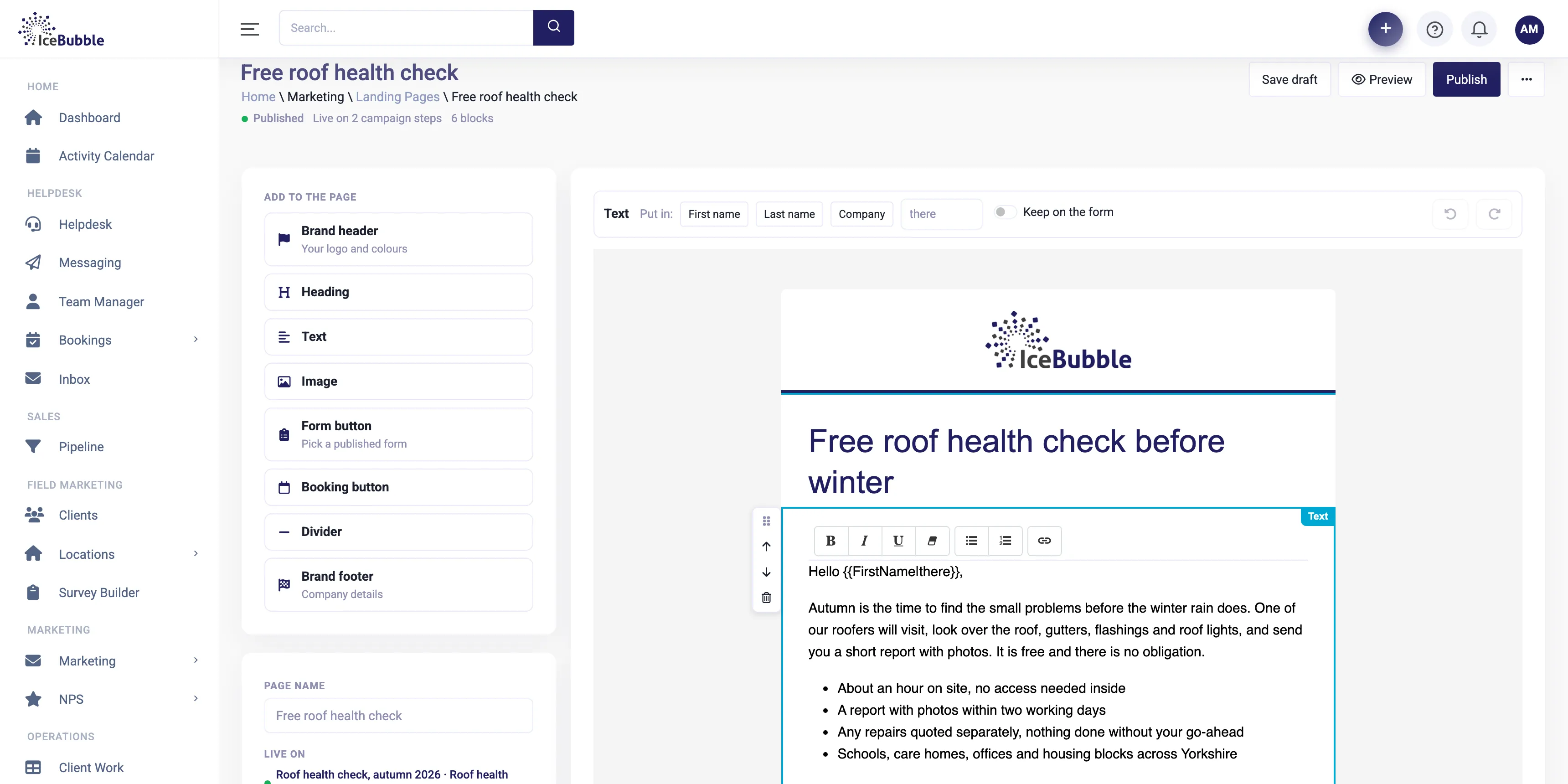
Landing pages and email
Campaign pages, emails and surveys in your own brand, built from blocks, with no web designer needed.
More on landing pages and email
IceBubble CRM
Plan a campaign, work through the call list with the script and the contact in front of you, log each outcome in a click and book meetings as you go.
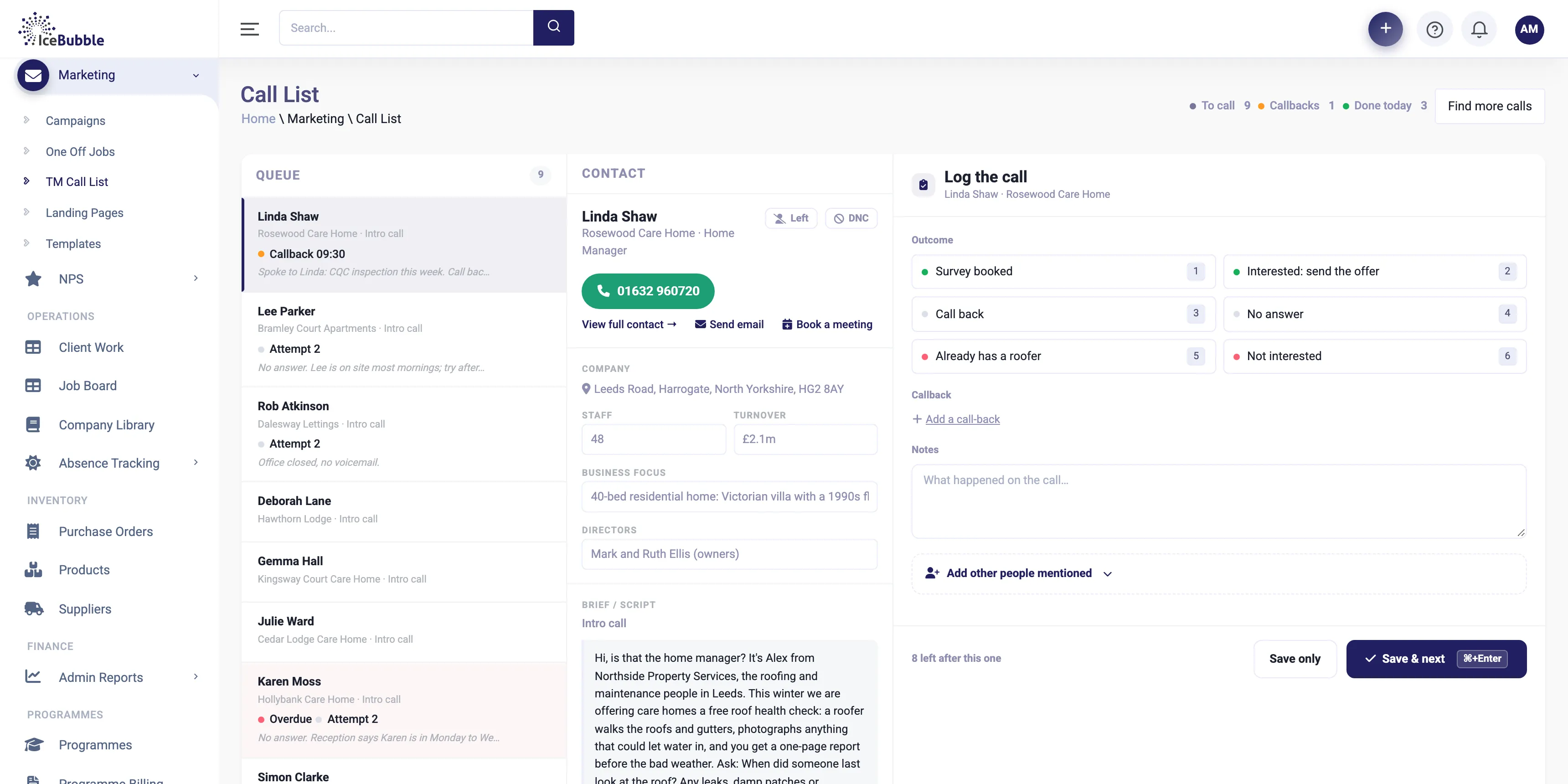
Campaigns put the list, the script, the contact and the outcome on one screen, and record everything as you go.
Choose who to call and what the call is for, and set the outcomes you want to record, such as survey booked, call back or not interested.
Why it matters: every call in the campaign is counted the same way.
The call list sits on the left, with callbacks due and repeat attempts marked. The contact, their company details and the script sit in the middle, so the caller has everything in front of them.
Why it matters: callers spend their time talking, not looking things up.
Pick the outcome, add notes, set a callback if one is needed, and move straight to the next call. Mark people who should not be called again.
Why it matters: the record is complete without slowing the caller down.
Book a meeting or send an email from the call screen, and see meetings booked as they happen.
Why it matters: the interest from the call becomes a meeting before it cools off.
Campaign contacts are the same contacts as the rest of the CRM, so a good call can become a deal in the pipeline, and campaigns can include landing pages and emails built in the CRM. Results show in your reports alongside sales.
Campaign pages, emails and surveys in your own brand, built from blocks, with no web designer needed.
More on landing pages and email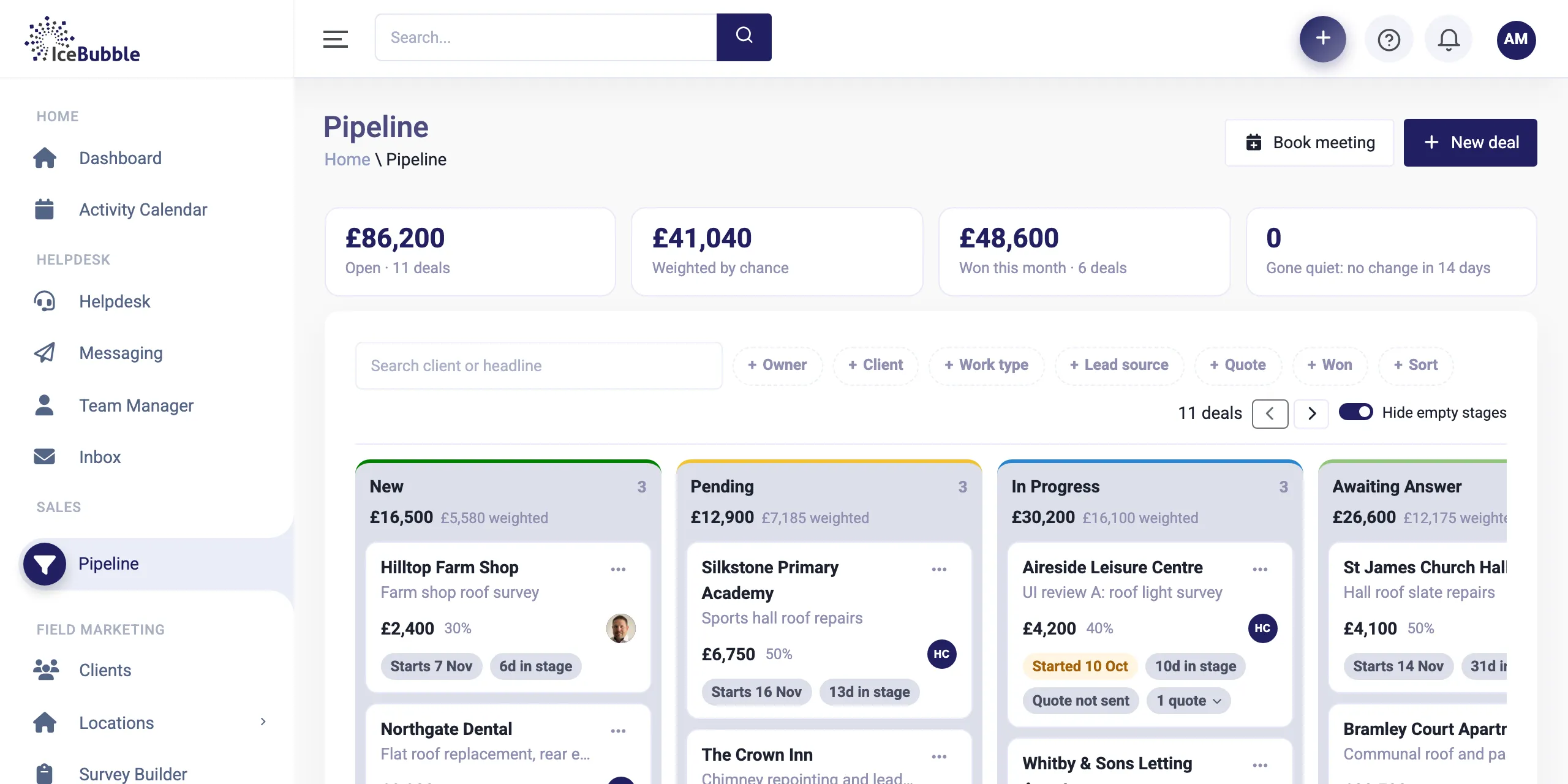
Every enquiry on one board, from first call to won. Win a deal and it becomes work, with quotes and deposits along the way.
More on sales pipeline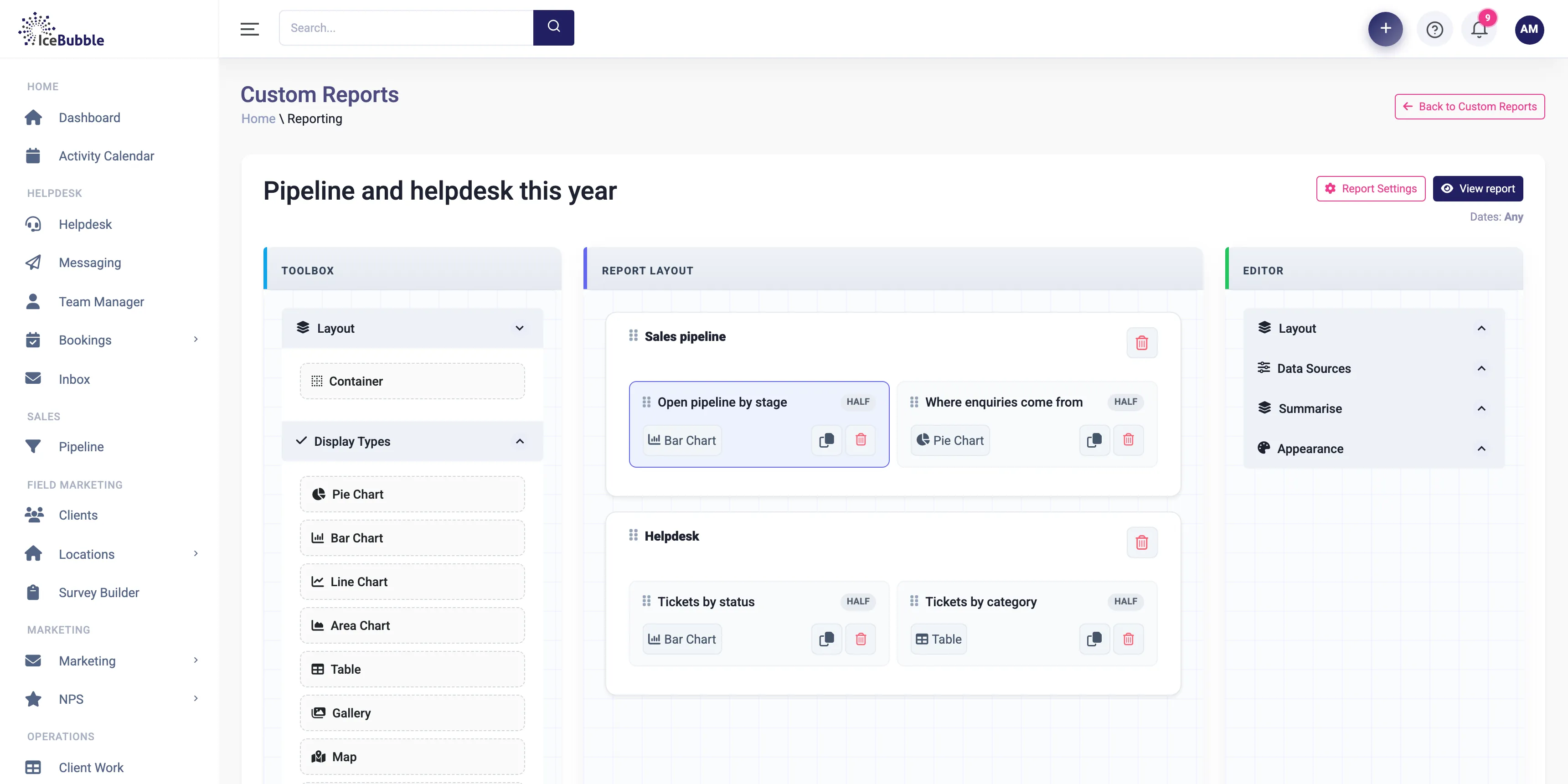
Build your own reports and dashboards, and start each day with an AI summary of sales, jobs and support.
More on reports and AI summariesYes. Calls, outcomes and meetings booked are recorded, so you can report by caller and by campaign.
Yes. Campaigns can use landing pages and emails built in the CRM. See landing pages and email.
Yes. Contacts can be marked as do not call, and they drop out of future call lists.
Book a demo and we'll show you IceBubble CRM with examples from your kind of business, answer your questions, and tell you honestly whether it fits.
Prefer not to book online? Call 07766 120568 or email hello@icebubble.co.uk.