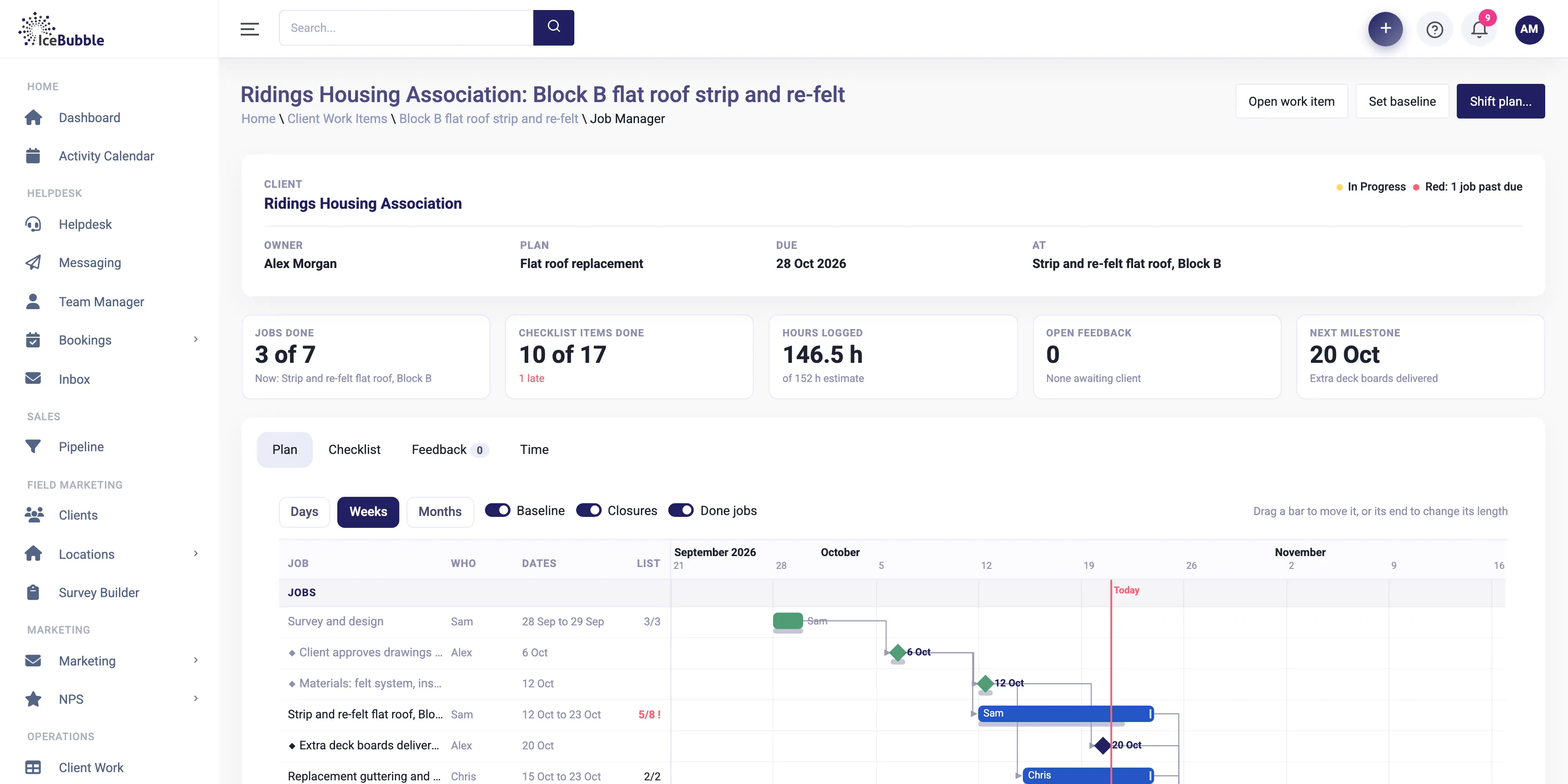
Delivery managementNew
Win the deal and the plan builds itself, with every job on one Gantt and the knock-on of any change shown first.
More on delivery management
IceBubble CRM
Book the right person on the planning board, run the job from the app on site, and turn the hours into the invoice, all in the same system as the deal.
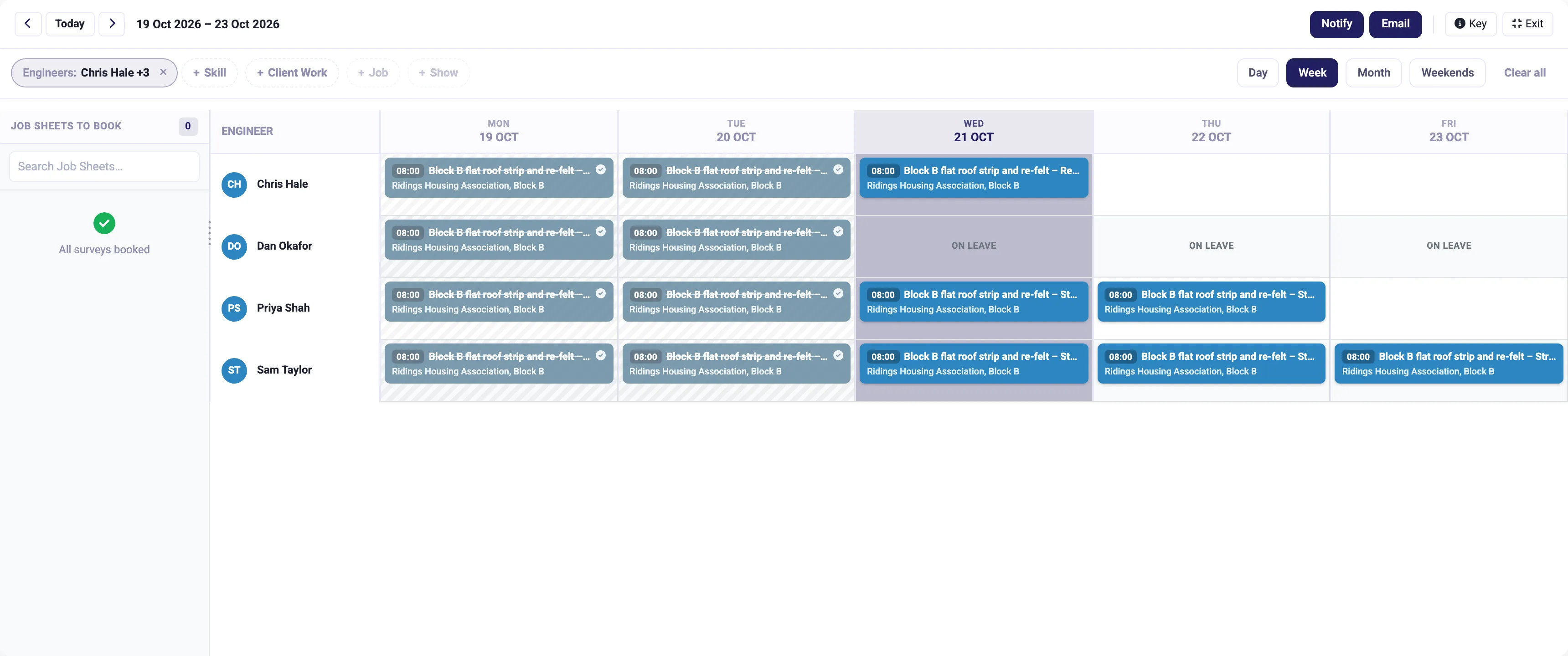
Job management puts the planning board, the app on site and the invoice in one place, so a job goes from booked to billed without anyone retyping it.
See the week, the day or the month by person, with the jobs still to book down the side. Filter by skill or client and drag a job onto someone's day. Holidays and sickness already show, so nobody gets booked when they are off.
Why it matters: you plan with the whole picture in front of you, and the team can see it too.
Notify or email the people whose diaries changed, straight from the board.
Why it matters: no ringing round on a Sunday night to say where everyone needs to be.
The team see their jobs in the app on iPhone, Android or Windows. They work through the checklist, take photos, record their time and get sign-off on site.
Why it matters: what happened on site is recorded on site, not remembered later.
Time, materials and charges sit on the job, ready to invoice. Invoices go to Xero, QuickBooks Online, Sage or FreeAgent.
Why it matters: you bill sooner, and for everything that was done.
Jobs come from won deals in the pipeline or from a delivery plan, use the same people and holidays as absence, and show up in your reports. A customer email about a job can land on it as a helpdesk ticket, so the whole history sits together.
Win the deal and the plan builds itself, with every job on one Gantt and the knock-on of any change shown first.
More on delivery management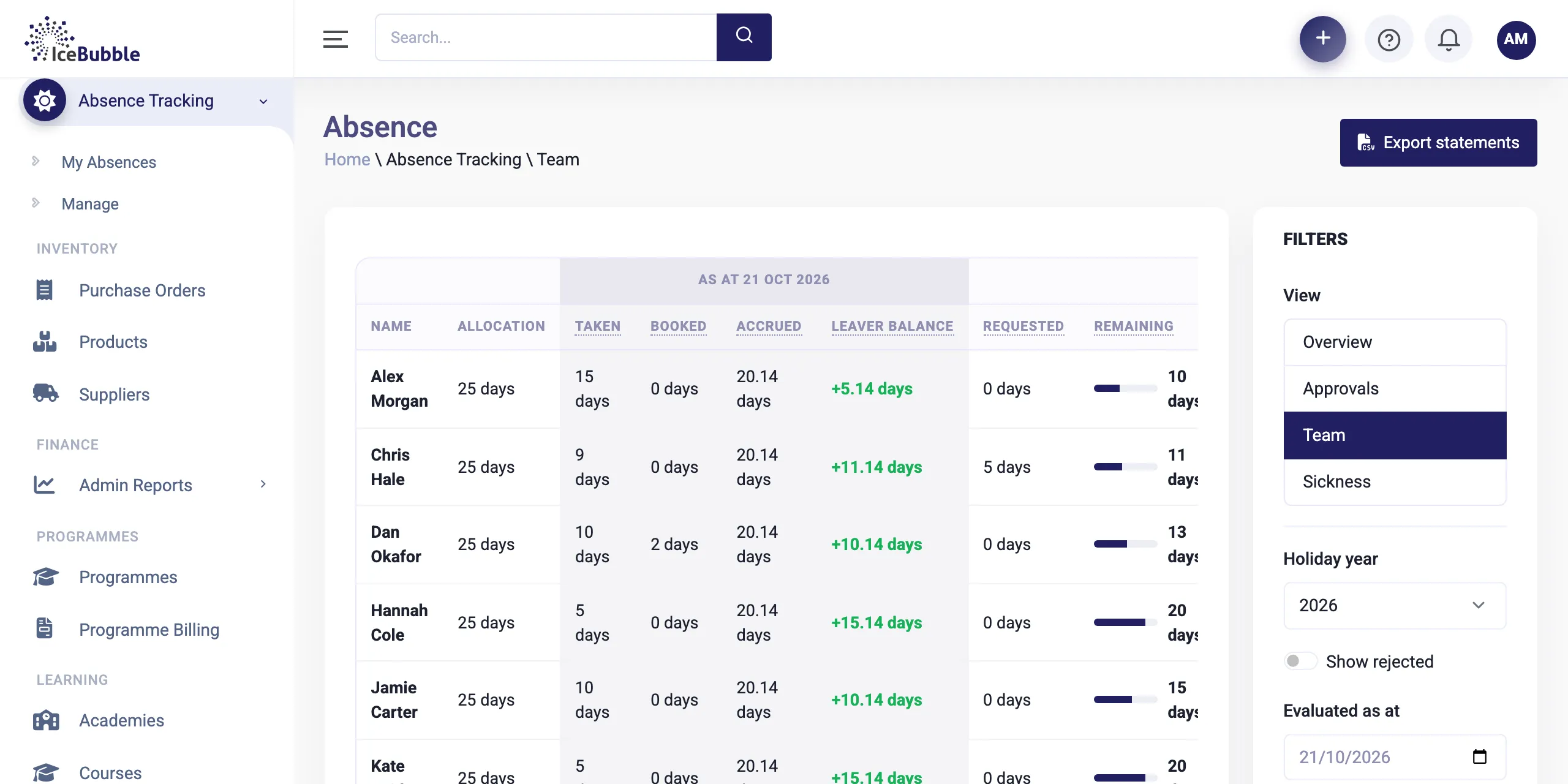
Holidays and sickness booked once, approved in a click, and shown on the planning board.
More on team and absence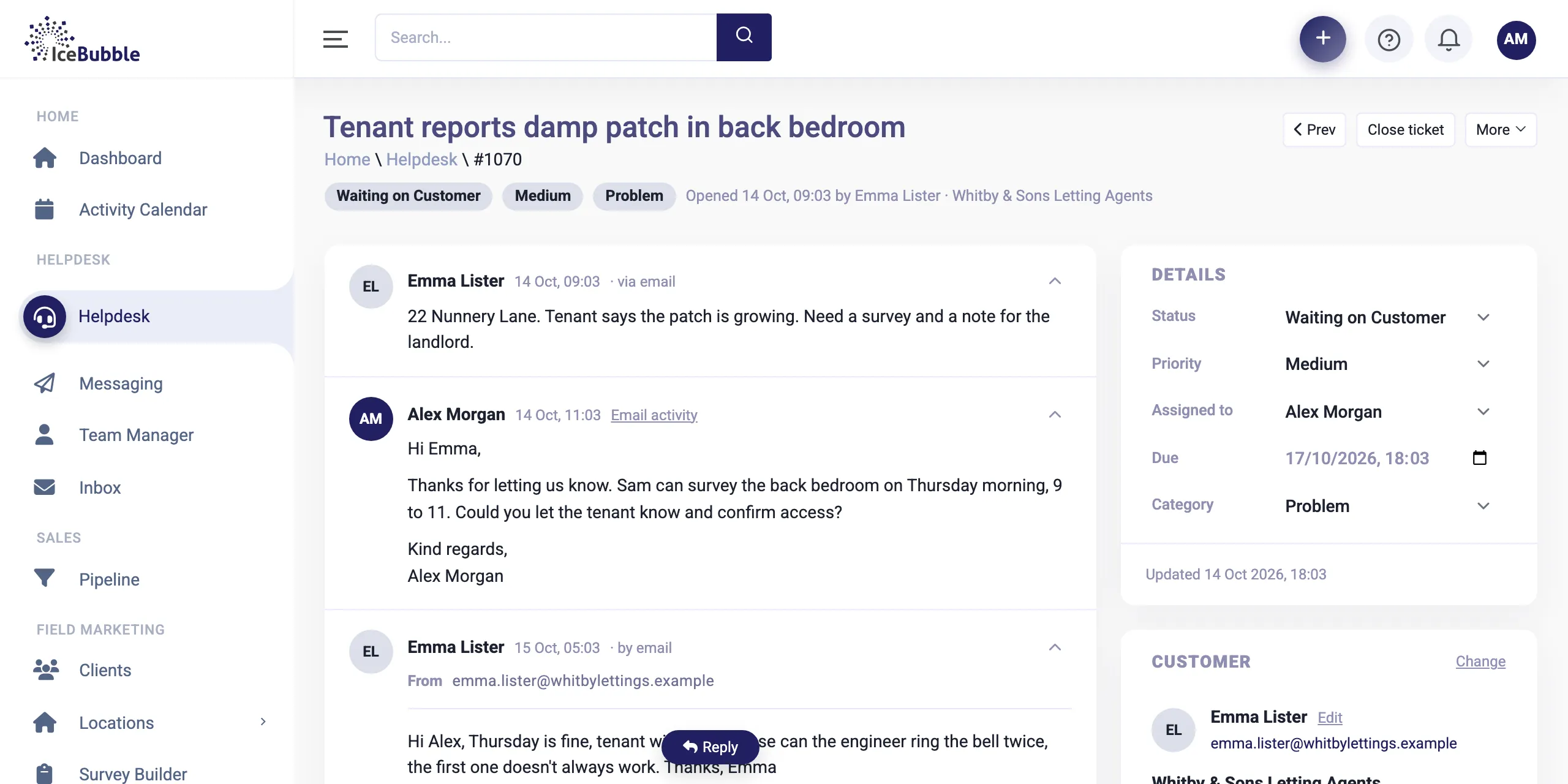
Customer emails land as tickets, attached to the right client and job, with notes and replies in one thread.
More on helpdesk and inbound emailYes. The CRM runs in the browser on any device, and field teams have their own app for iPhone, Android and Windows.
Yes. Filter the planning board by skill or client to find the right person for the job.
Yes. Jobs can sit inside a delivery plan with stages, dates and a Gantt chart. See delivery management.
Book a demo and we'll show you IceBubble CRM with examples from your kind of business, answer your questions, and tell you honestly whether it fits.
Prefer not to book online? Call 07766 120568 or email hello@icebubble.co.uk.