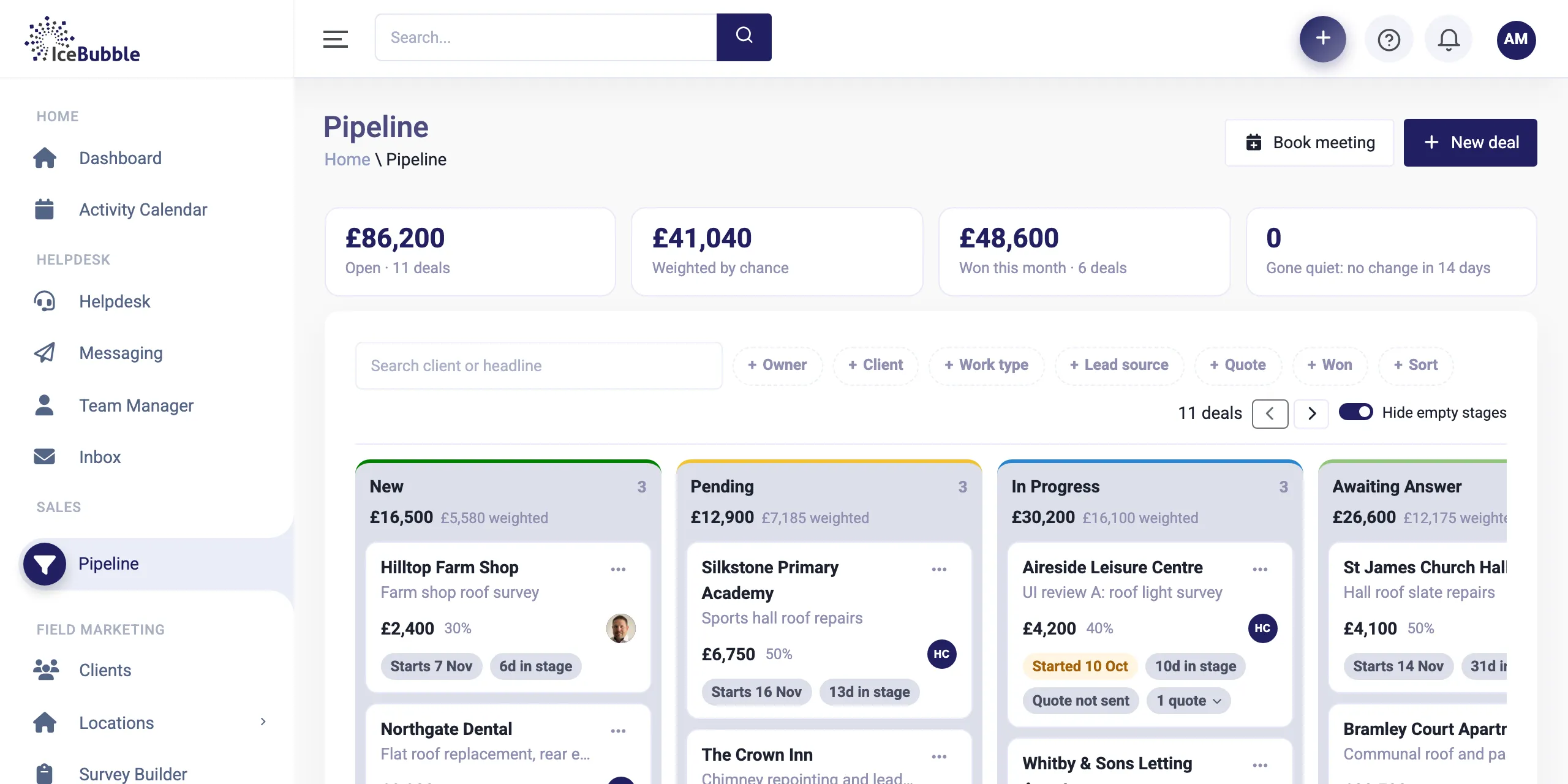
Sales pipeline
Every enquiry on one board, from first call to won. Win a deal and it becomes work, with quotes and deposits along the way.
More on sales pipeline
IceBubble CRM
When a deal is won, the work starts. In IceBubble CRM the delivery plan is already waiting, laid out on a Gantt chart the whole team can see.
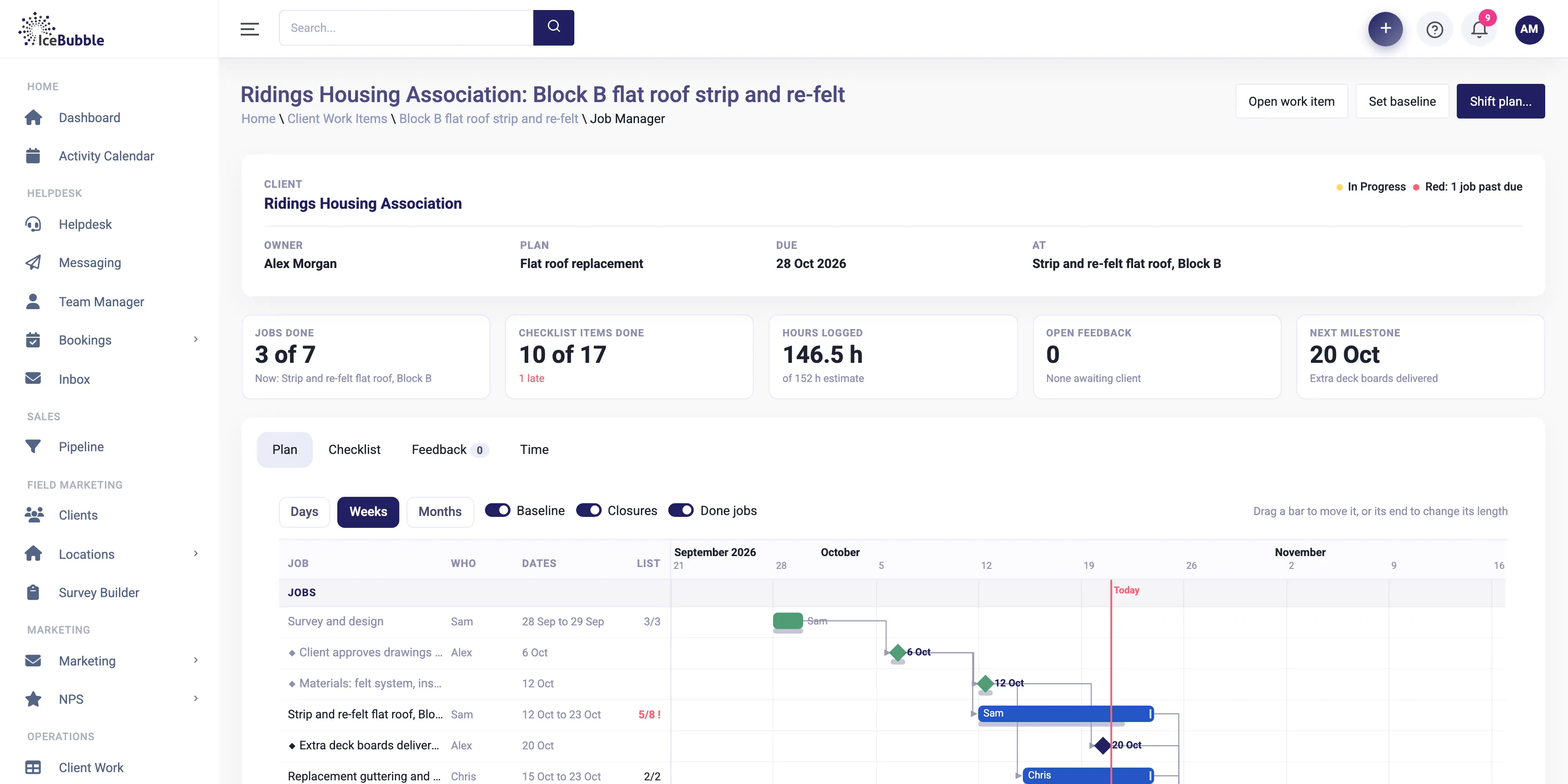
Delivery management puts the plan inside the CRM, next to the deal, the jobs and the people doing them.
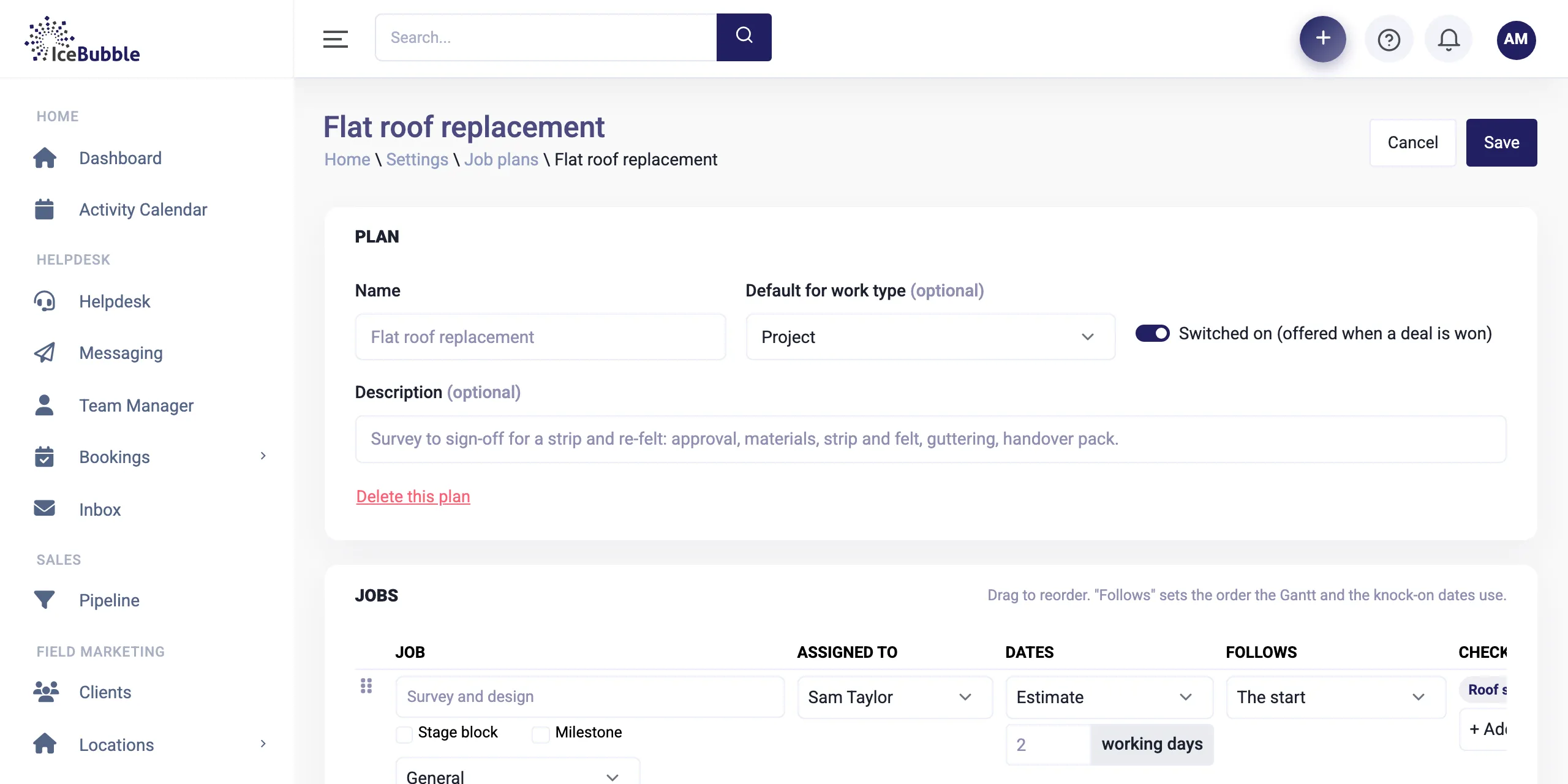
Build a plan for each type of work you do, with its stages, who usually runs each job, how long it takes, what it follows, and the checklists that go with it. Do it once in Settings and every new project starts from it.
Why it matters: every project starts the same tried and tested way, rather than from a blank page.
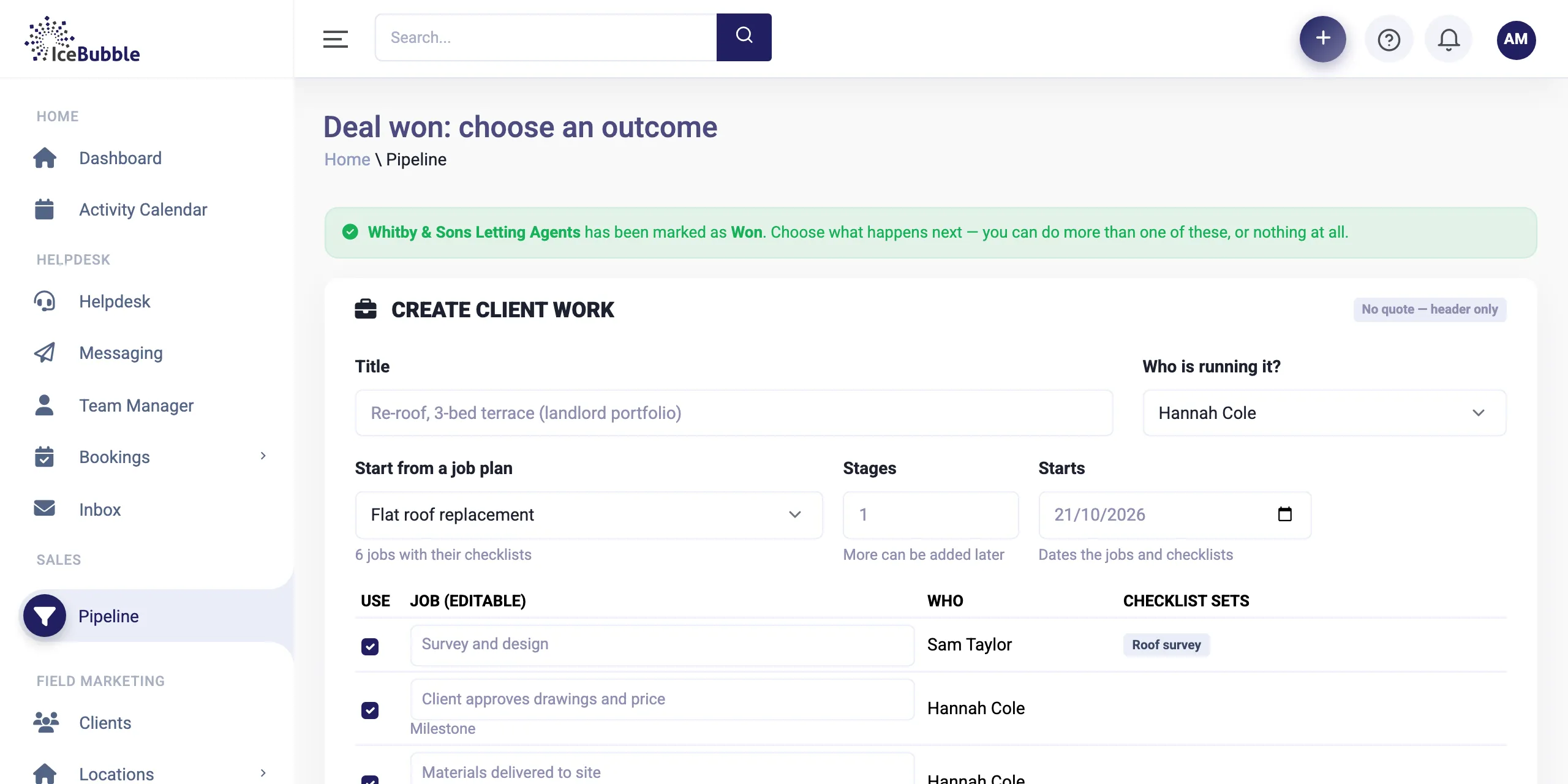
Mark a deal as won and pick a job plan. The jobs, stages and checklists are created there and then, with dates worked out from the start date you choose.
Why it matters: there is no gap between sales and delivery. The moment it is won, the work is planned.
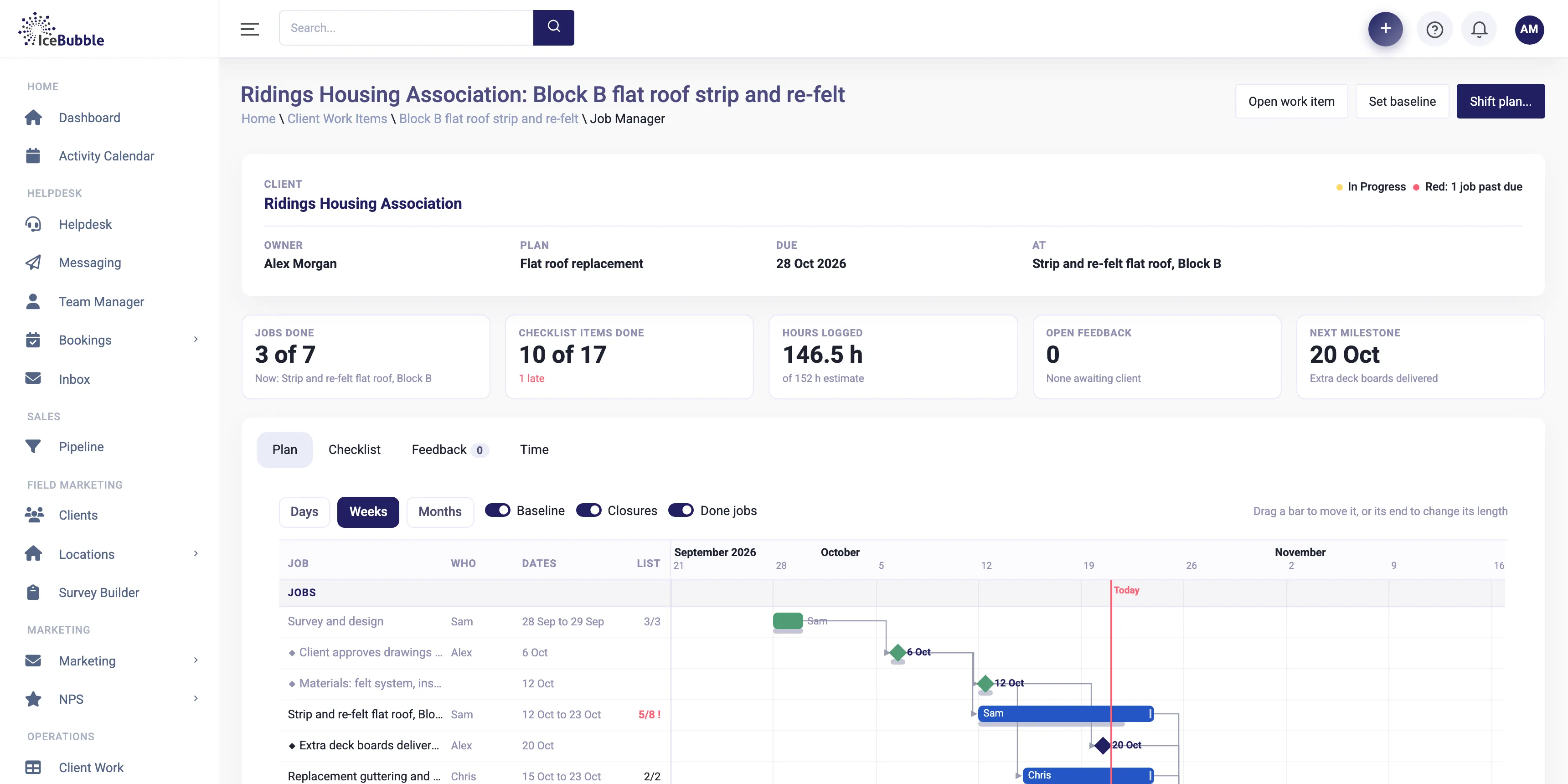
Every job on one chart, in days, weeks or months, with progress, owners and a line for today. Drag a bar to move it, set what follows what, and see the next milestone at a glance.
Why it matters: everyone works from the same plan, and it is always the current one.
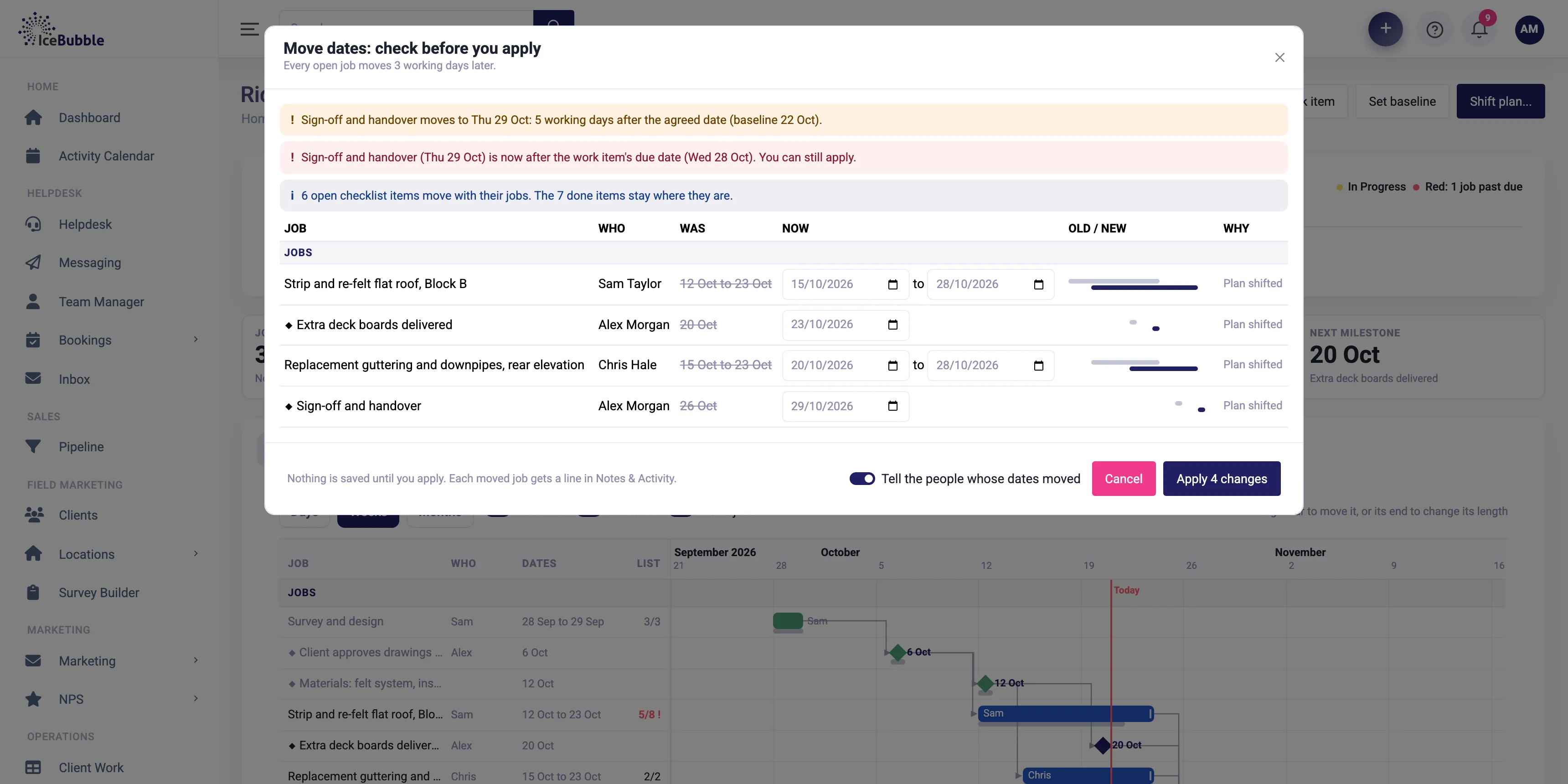
Shift the plan or move a job and you get a preview first, showing every job that moves, from what date to what date, and any that land past their agreed dates. Apply it, or cancel and nothing changes. Tick a box to tell the people whose dates moved.
Why it matters: no surprises a fortnight later when a job you forgot about has been pushed back.
When the client agrees the plan, set the baseline. The agreed dates are drawn as a grey line under each bar, so any slippage is obvious to everyone.
Why it matters: you can show a client exactly what changed and when, without digging through emails.
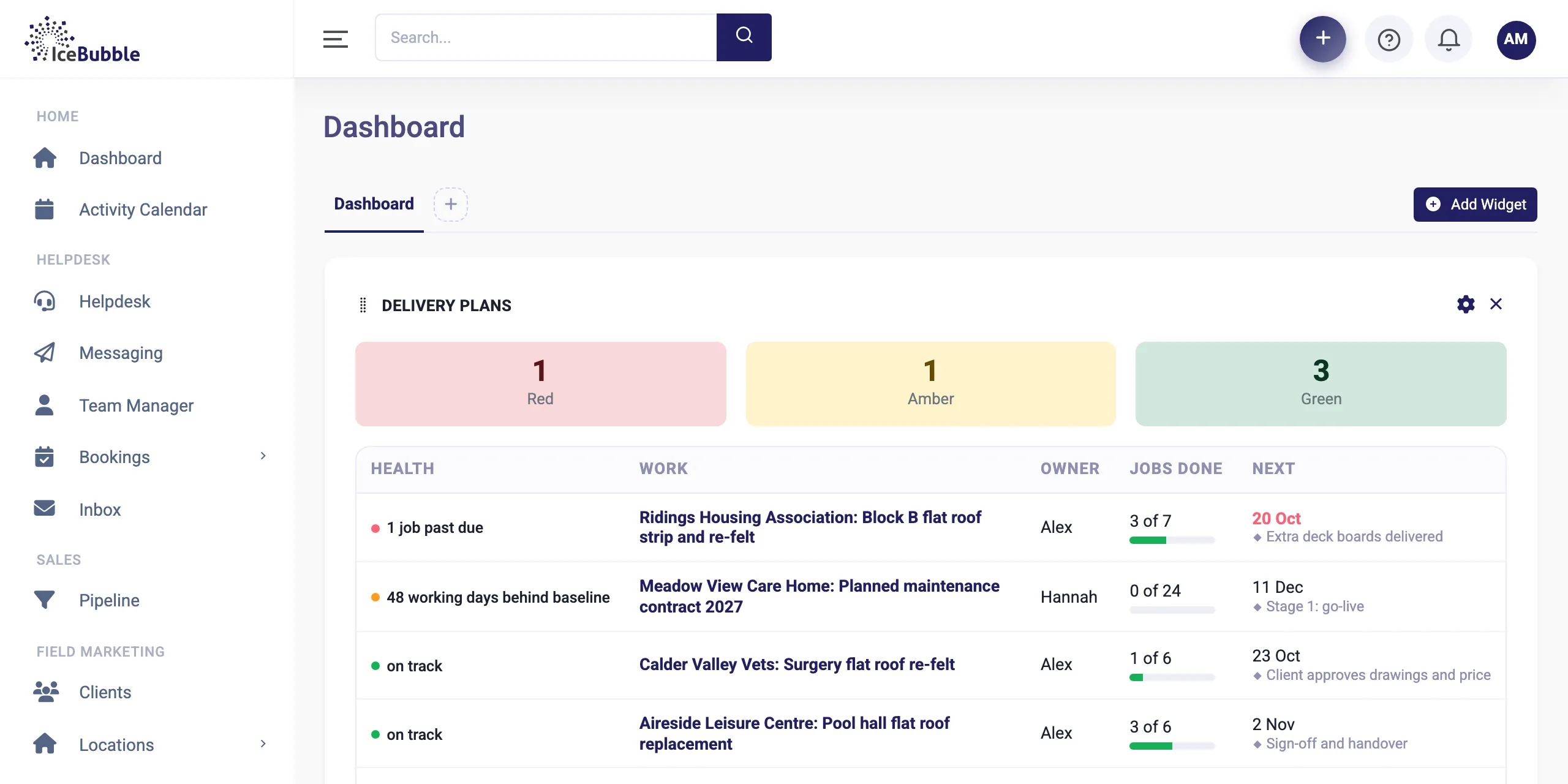
Open plans sit on the dashboard as red, amber and green, at-risk ones first with the reason, how many jobs are done and what is next.
Why it matters: managers see which projects need attention today without opening each one.
The jobs in a delivery plan are the same jobs your team already works in IceBubble CRM. They are booked on the planning board, worked on site from the app, with time, checklists and charges all in the same place, so there is nothing to export and nothing to keep in sync. If you use an AI assistant, it can read your delivery plans too. Ask which projects are at risk and why, and get the answer straight from the CRM.
Every enquiry on one board, from first call to won. Win a deal and it becomes work, with quotes and deposits along the way.
More on sales pipeline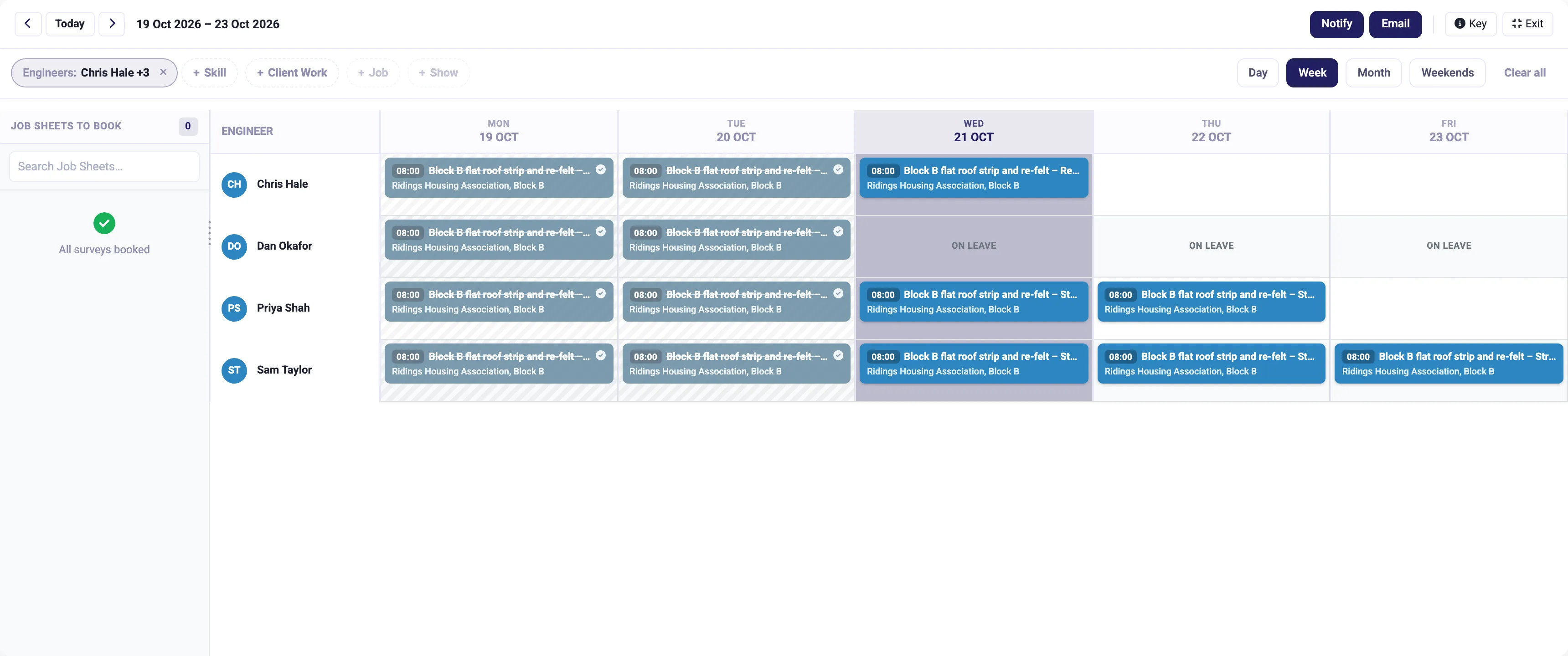
Book the right person on the planning board, run the job from the app on site, and turn the hours into the invoice.
More on job management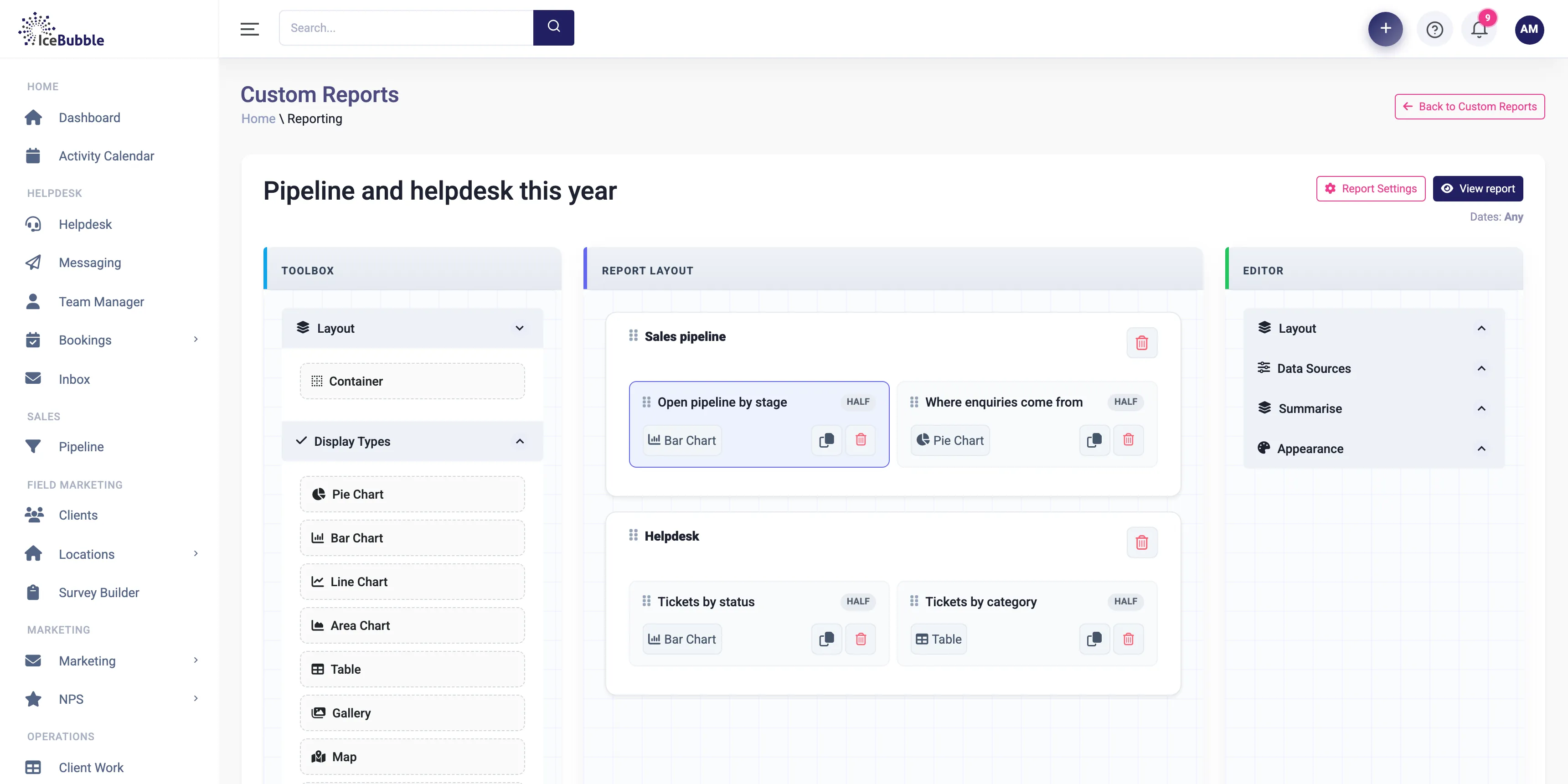
Build your own reports and dashboards, and start each day with an AI summary of sales, jobs and support.
More on reports and AI summariesNo. Start from a job plan when the work is familiar, or add stages and jobs by hand when it is not. You can mix both.
Yes. Move dates, add stages, change what follows what. The preview shows the effect before anything is saved.
When you apply a change, you choose whether to notify the people whose jobs moved.
Yes. Delivery plans are built from the same jobs, people and checklists as everything else, so there is nothing to keep in sync.
Book a demo and we'll show you IceBubble CRM with examples from your kind of business, answer your questions, and tell you honestly whether it fits.
Prefer not to book online? Call 07766 120568 or email hello@icebubble.co.uk.