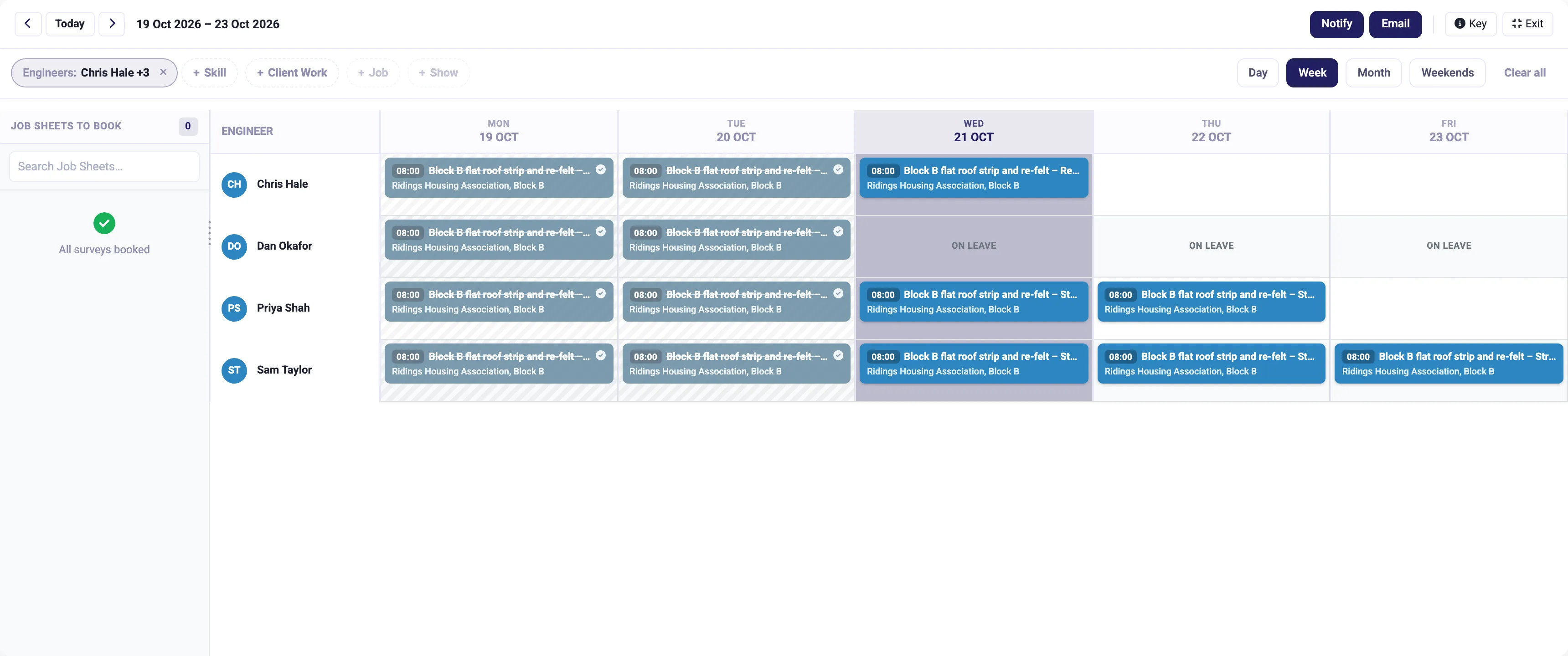
Job management
Book the right person on the planning board, run the job from the app on site, and turn the hours into the invoice.
More on job management
IceBubble CRM
Customer emails land as tickets, attached to the right client and job, with replies, notes and the due date in one thread the whole team can see.
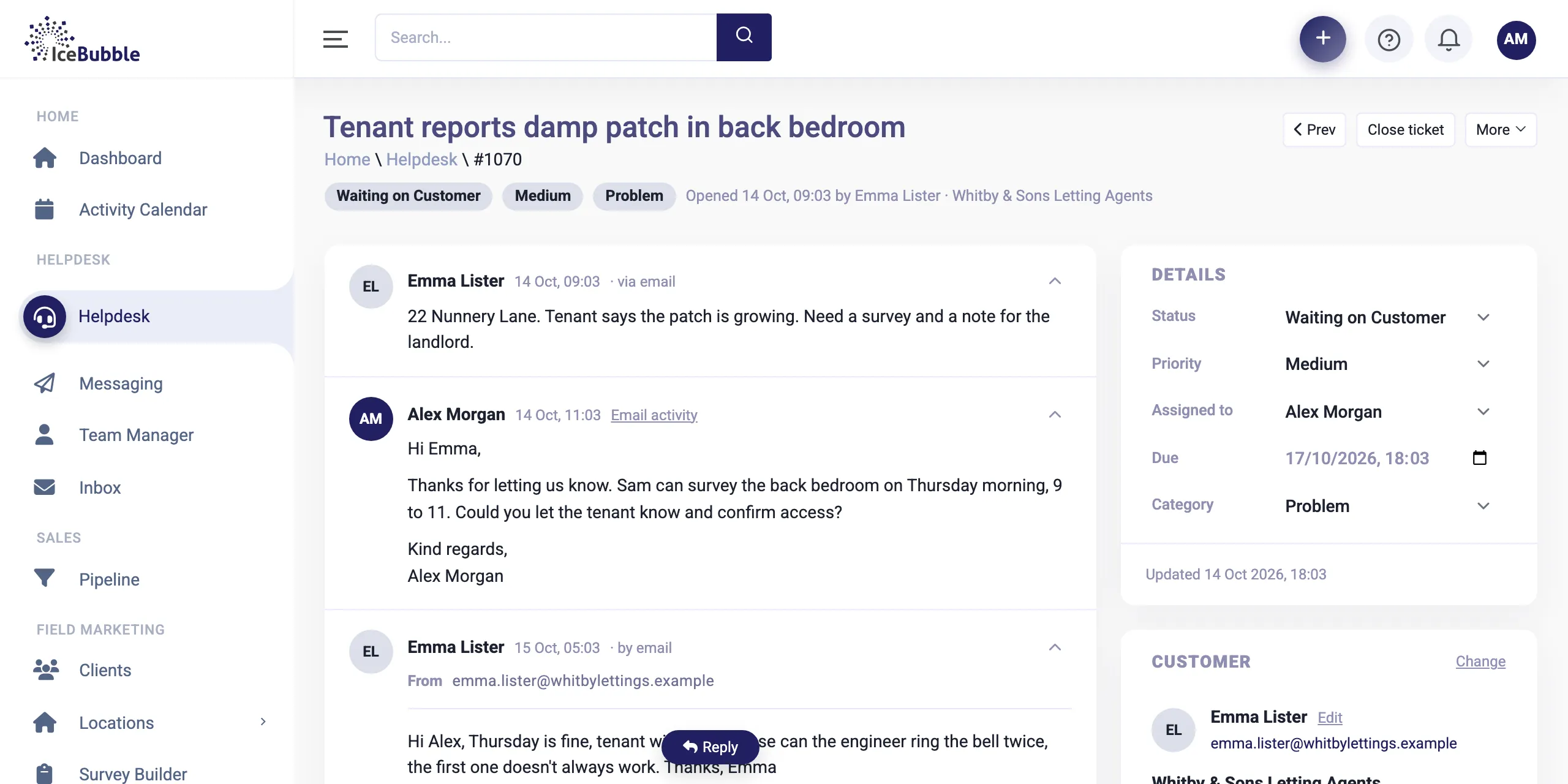
The helpdesk puts every customer email in one shared place, linked to the people and jobs it is about.
Customers email an address on your own domain, such as helpdesk@yourcompany.co.uk, and each email becomes a ticket. We set the address up for you.
Why it matters: nothing gets lost in a personal inbox.
Reply from the ticket and the customer gets an email. When they reply, it is matched by the ticket number and lands in the same conversation.
Why it matters: the whole conversation is in one place, in order.
Each email is linked to the contact who sent it and their company, so you see it on the ticket and on the customer's record.
Why it matters: anyone picking up the customer sees every conversation the business has had with them.
Every ticket has a status, a priority, a category, an owner and a due date, with internal notes alongside the emails.
Why it matters: everyone knows what is waiting, who has it and when it is due.
Search every email, filter by customer, and report on tickets by status, priority or category.
Why it matters: if one product or one customer suddenly generates a pile of tickets, you see it.
Tickets sit on the same clients and contacts as your sales pipeline, and can be linked to a job, so a complaint about work you did sits with that work. Time spent on a ticket can be recorded, and the morning AI summary tells you which tickets need attention today.
Book the right person on the planning board, run the job from the app on site, and turn the hours into the invoice.
More on job management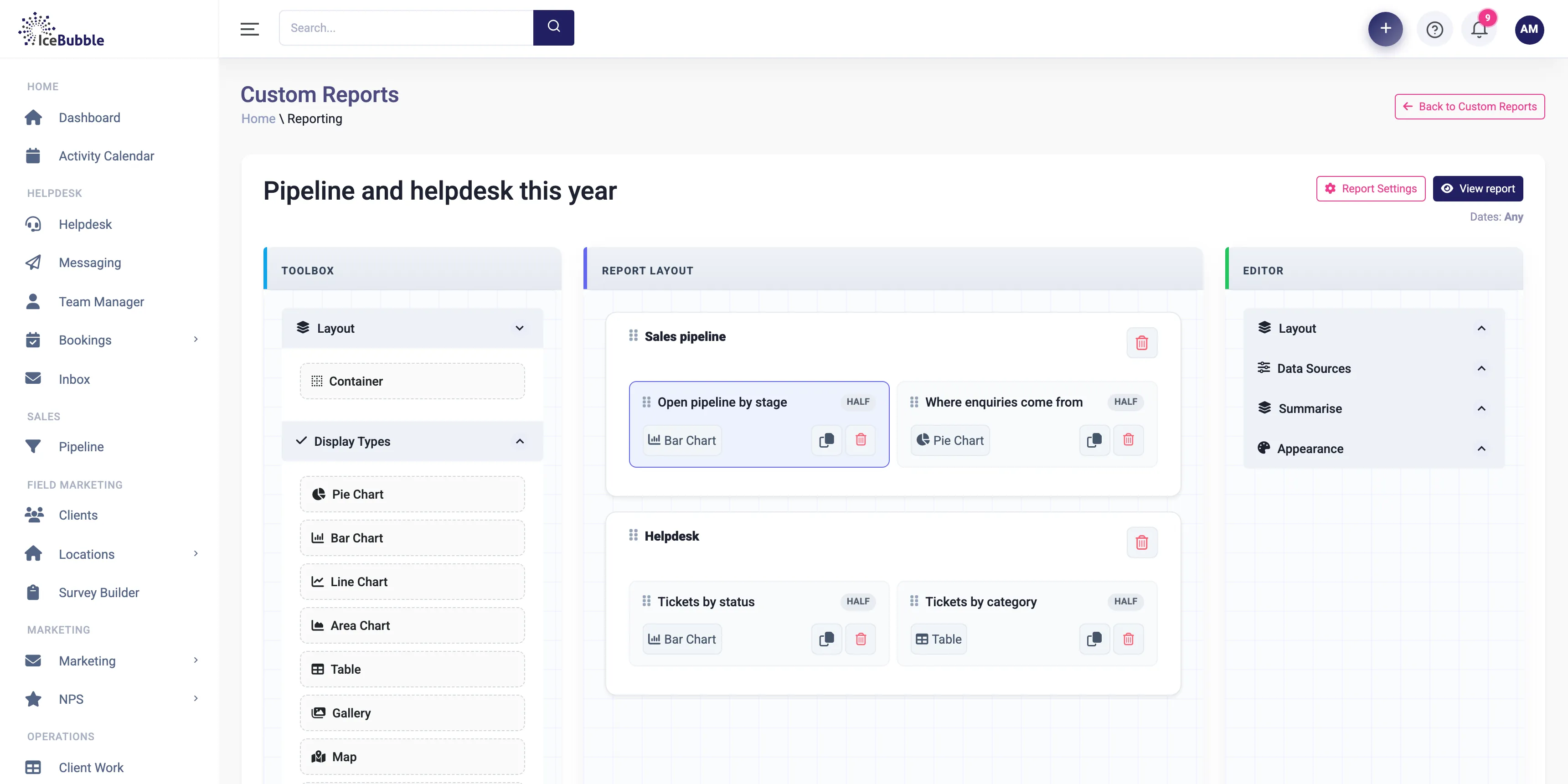
Build your own reports and dashboards, and start each day with an AI summary of sales, jobs and support.
More on reports and AI summaries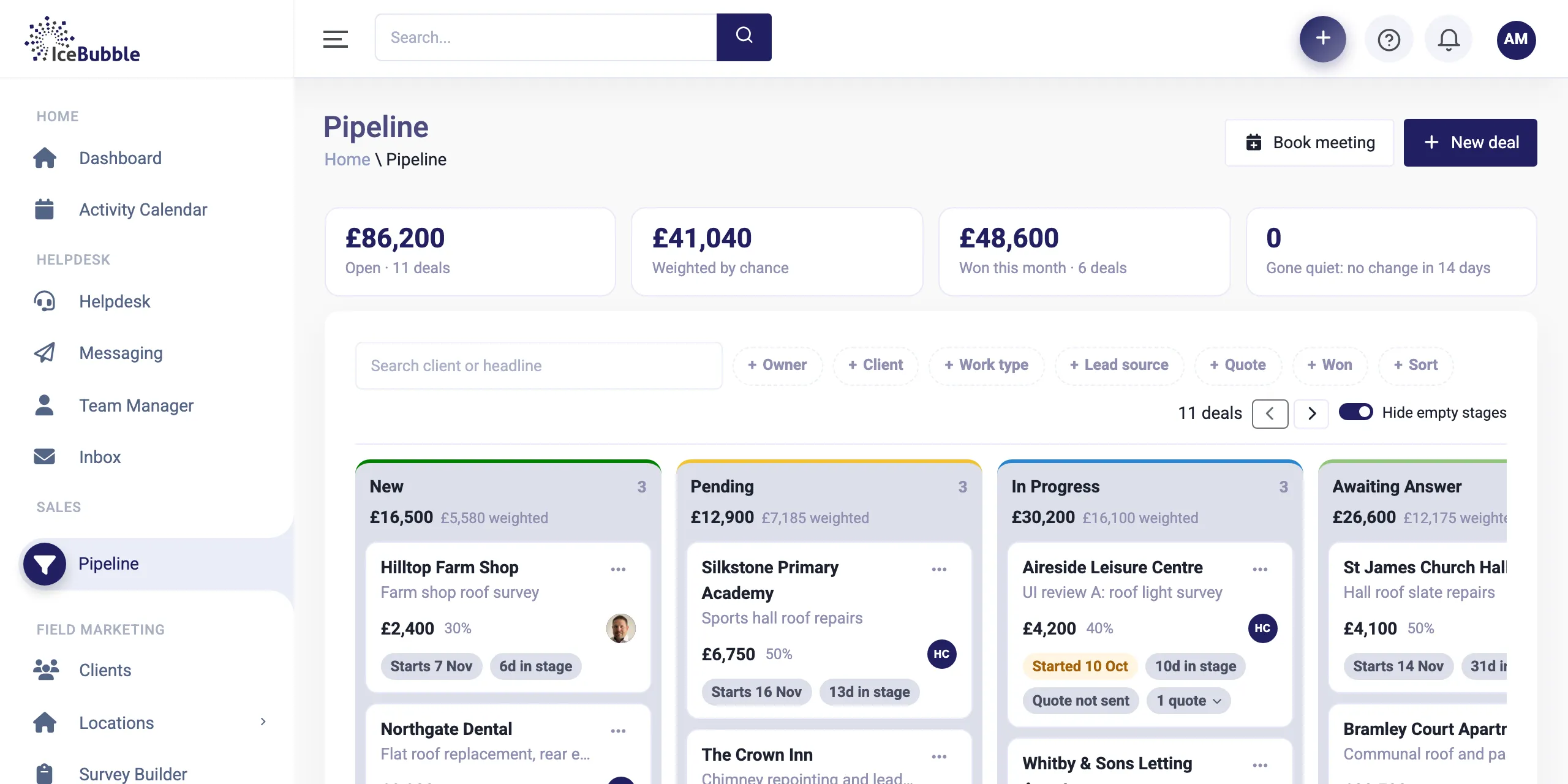
Every enquiry on one board, from first call to won. Win a deal and it becomes work, with quotes and deposits along the way.
More on sales pipelineYou give customers an address on your own domain, and we set up how it reaches the CRM. Email can also be forwarded from Microsoft 365, Google or most other providers.
Yes. Tickets are shared, each has an owner, and everyone can see who has what.
Yes. Replies go out as normal emails, delivered through SendGrid so they land in inboxes.
Book a demo and we'll show you IceBubble CRM with examples from your kind of business, answer your questions, and tell you honestly whether it fits.
Prefer not to book online? Call 07766 120568 or email hello@icebubble.co.uk.