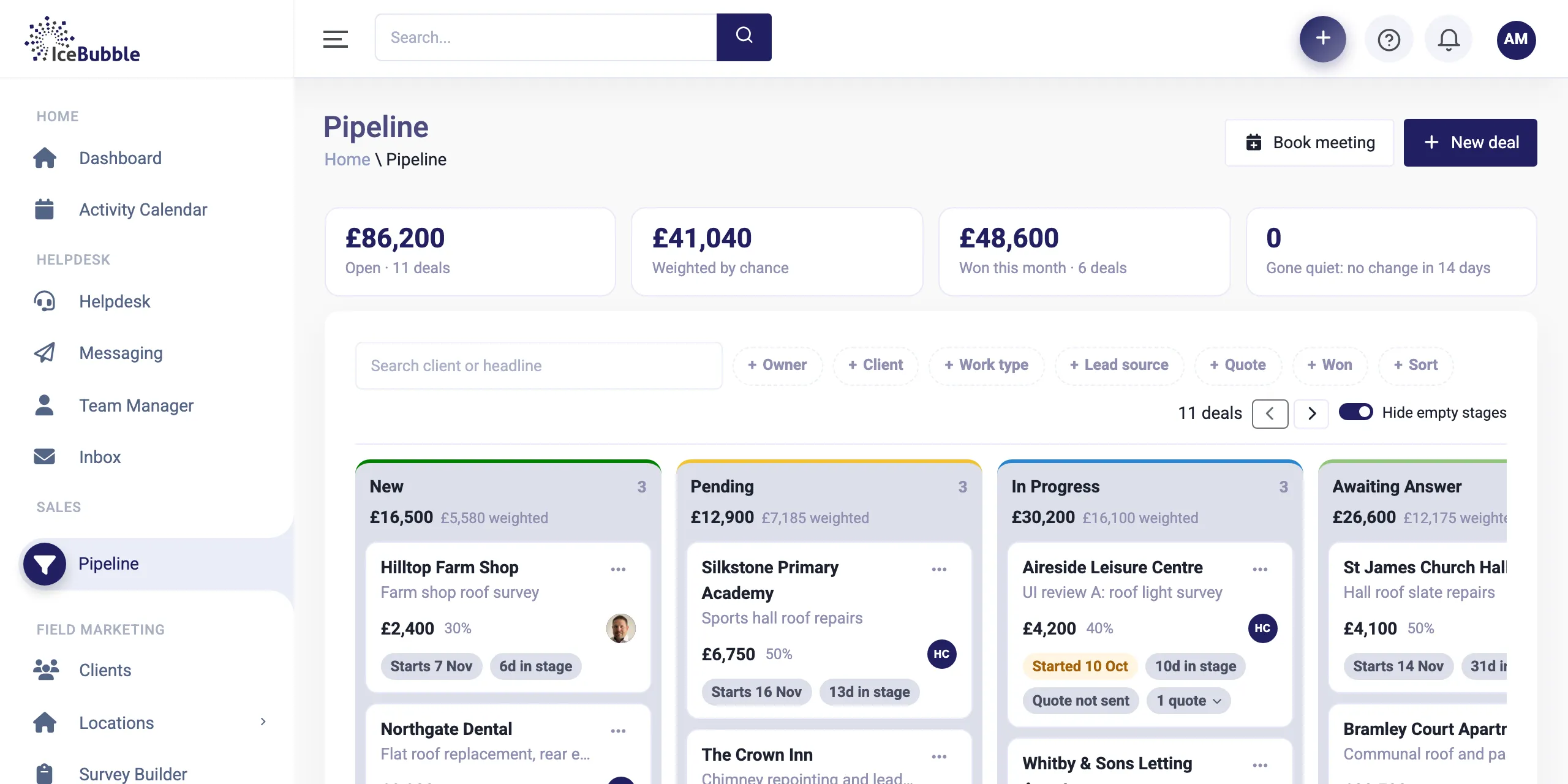
Sales pipeline
Every enquiry on one board, from first call to won. Win a deal and it becomes work, with quotes and deposits along the way.
More on sales pipeline
IceBubble CRM
Build your own reports and dashboards from blocks, and start each day with a plain English summary of what needs your attention.
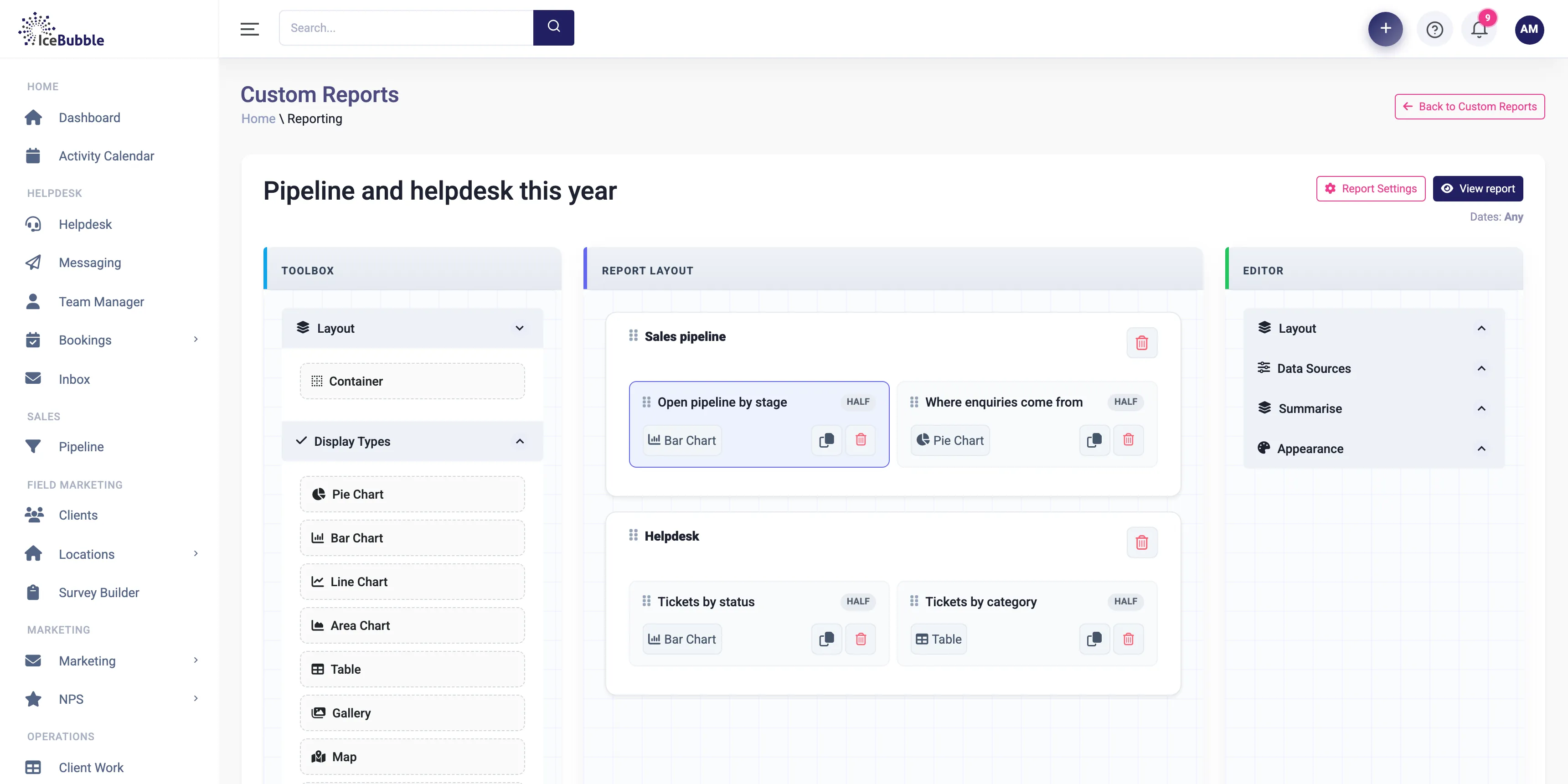
Reports you build yourself, and a morning summary that tells you what the numbers mean.
Lay out sections and drop in charts and tables, such as open pipeline by stage, where enquiries come from, tickets by status or tickets by category. Choose bar, pie, line or area charts, tables, galleries and maps.
Why it matters: you get the report you need without exporting anything.
Before you open anything, the AI summary has read your pipeline, your helpdesk queue and your operations, and written up what needs your attention in plain English.
Why it matters: there is a big difference between seeing "5 deals on hold" and being told that £75,000 has had no activity for two weeks and someone needs to call today.
Pick the Direct style for the facts, clearly stated. Pick the Cynic style if you want them with some honest commentary.
Why it matters: the same insight, delivered how you like to hear it first thing.
An API and an MCP connection let assistants such as Claude read and update the CRM, within the permissions you set. Ask which deals have gone quiet or which projects are at risk, and get the answer from your own data.
Why it matters: your data answers questions in plain English.
Reports draw on everything in the CRM, from the pipeline, jobs and delivery plans to the helpdesk, campaigns, surveys and absence, because it is all in one system. Nothing has to be exported and joined together.
Every enquiry on one board, from first call to won. Win a deal and it becomes work, with quotes and deposits along the way.
More on sales pipeline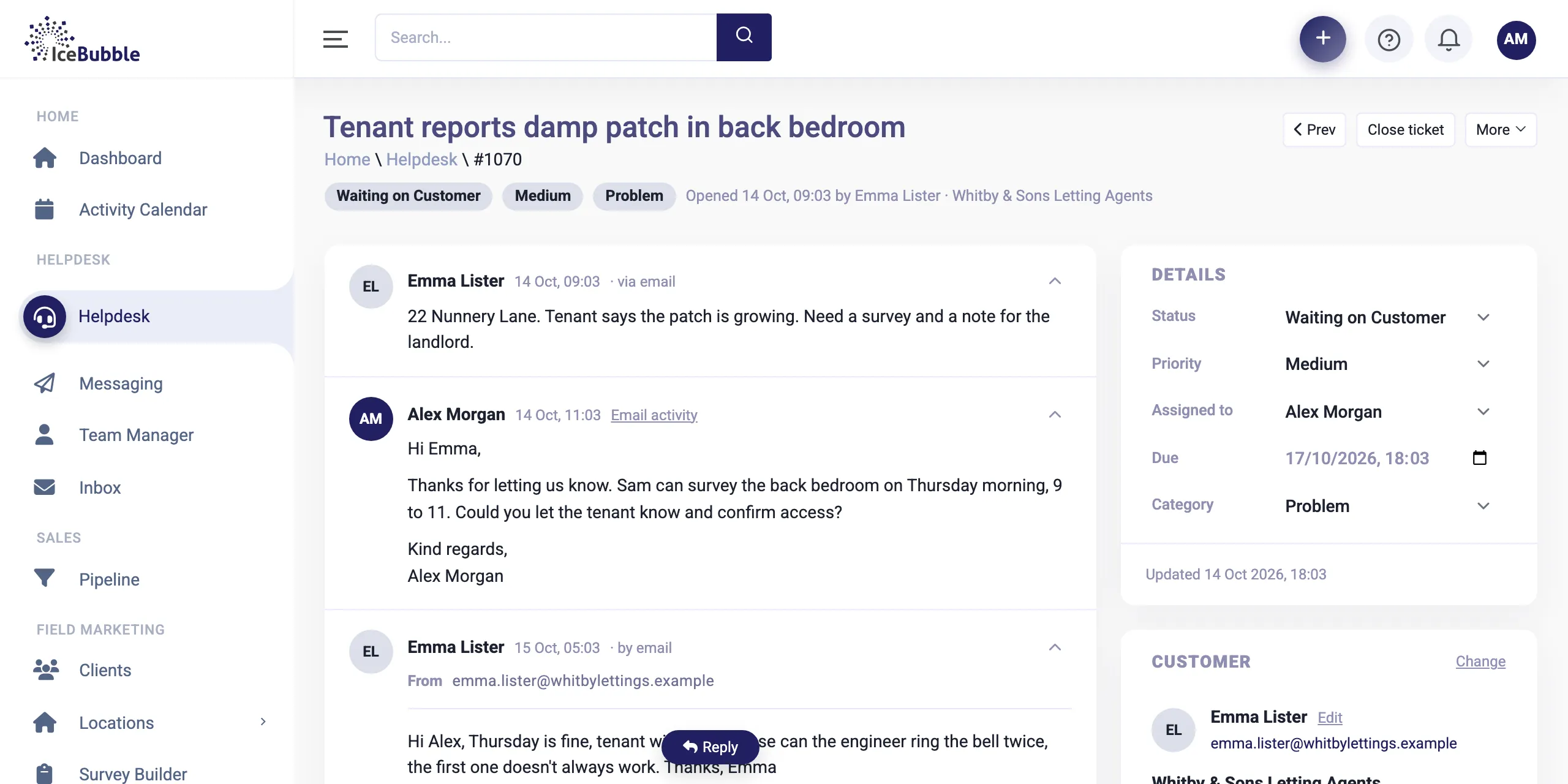
Customer emails land as tickets, attached to the right client and job, with notes and replies in one thread.
More on helpdesk and inbound email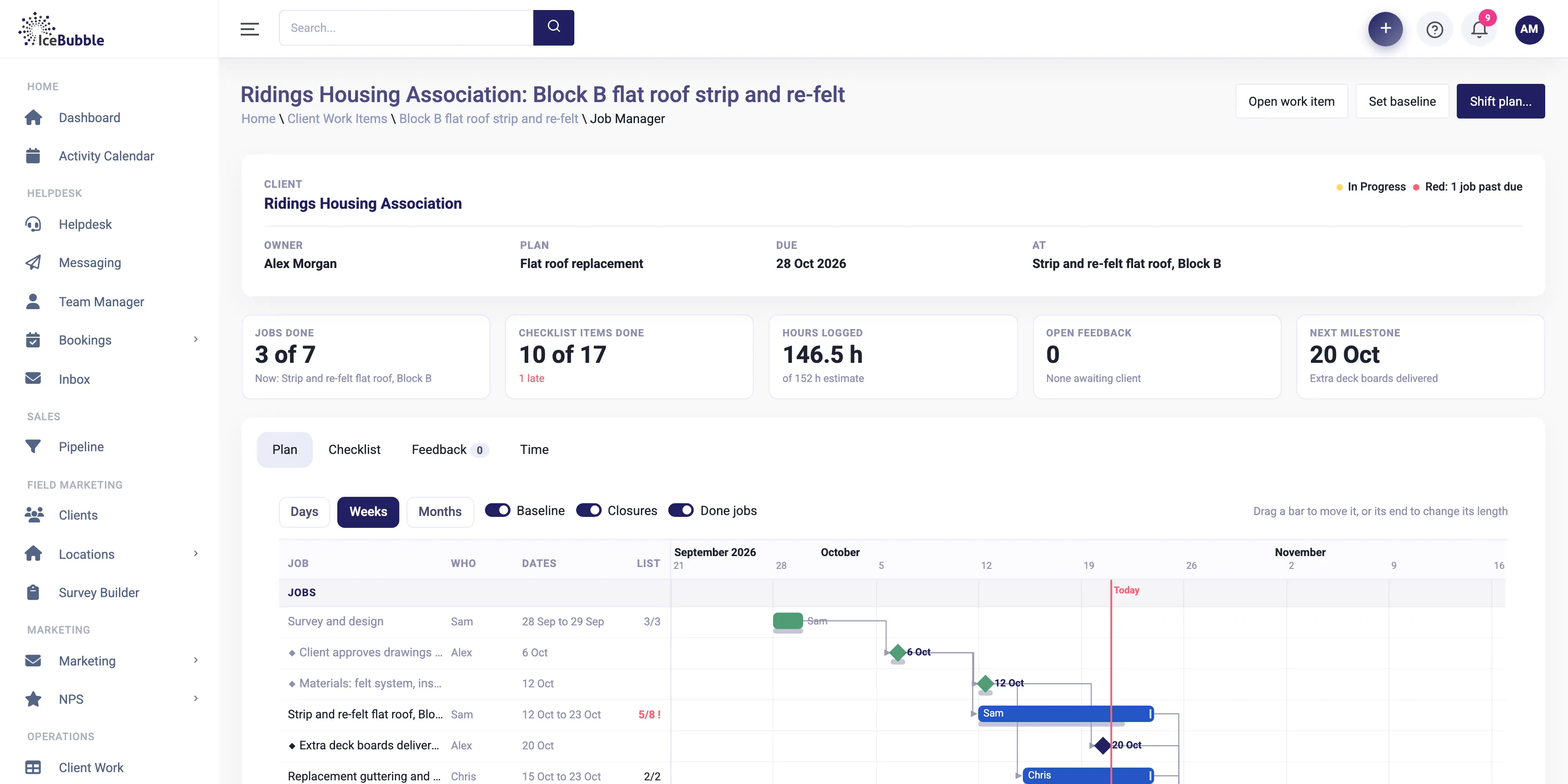
Win the deal and the plan builds itself, with every job on one Gantt and the knock-on of any change shown first.
More on delivery managementYes. Lay out sections and add charts and tables from any part of the CRM.
Sales (pipeline health, stalled deals, new prospects, quotes outstanding) and operations (helpdesk tickets, overdue items, what needs attention today).
Summaries are built from your CRM data for your team. Talk to us about how AI is used and what is sent where.
Book a demo and we'll show you IceBubble CRM with examples from your kind of business, answer your questions, and tell you honestly whether it fits.
Prefer not to book online? Call 07766 120568 or email hello@icebubble.co.uk.