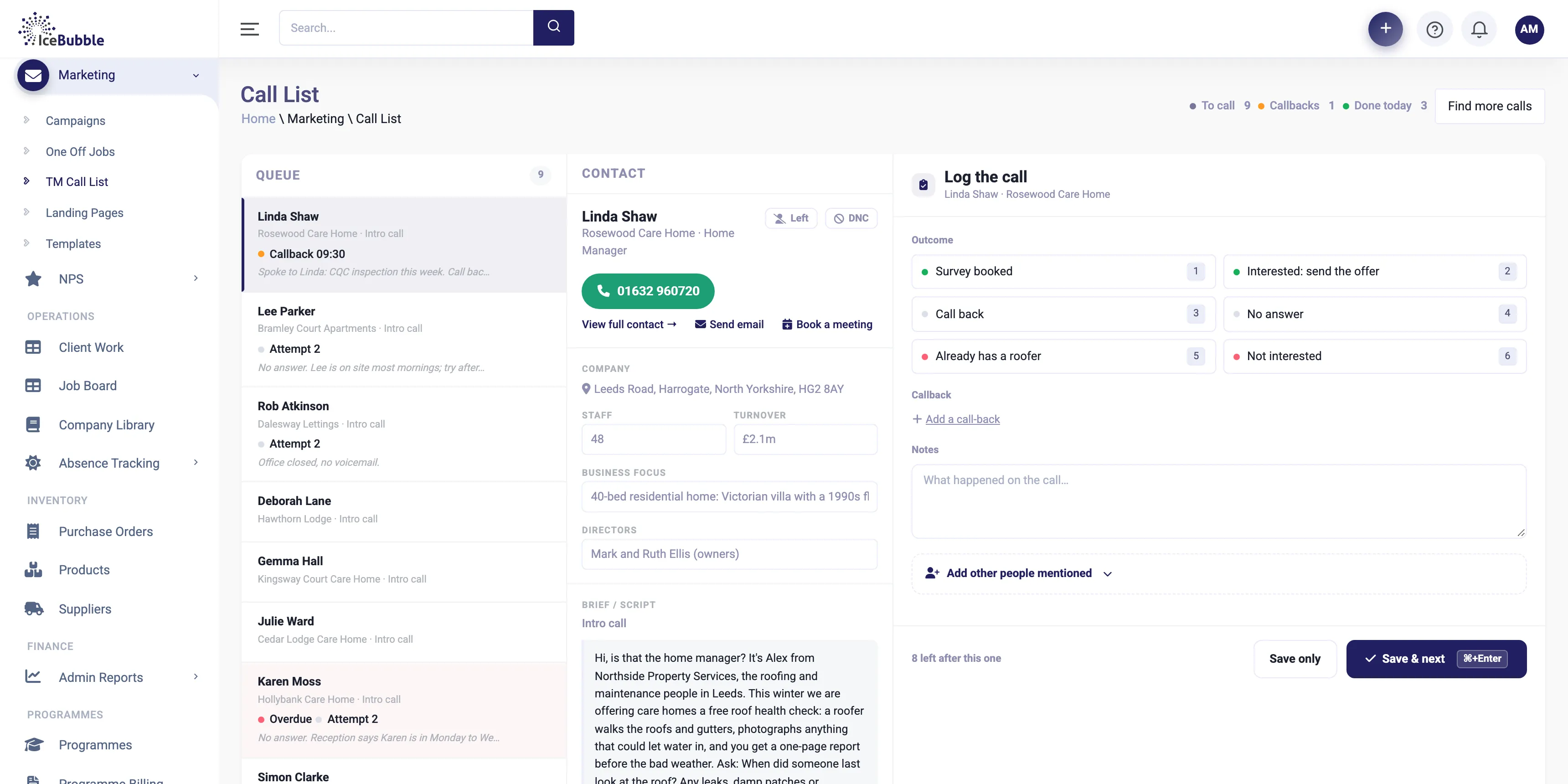
Campaigns and calling
Plan a campaign, work the call list, log outcomes in a click and see meetings booked as they happen.
More on campaigns and calling
IceBubble CRM
Build campaign pages and emails in your own brand from ready-made blocks, with forms and booking buttons. The leads land straight in the CRM.
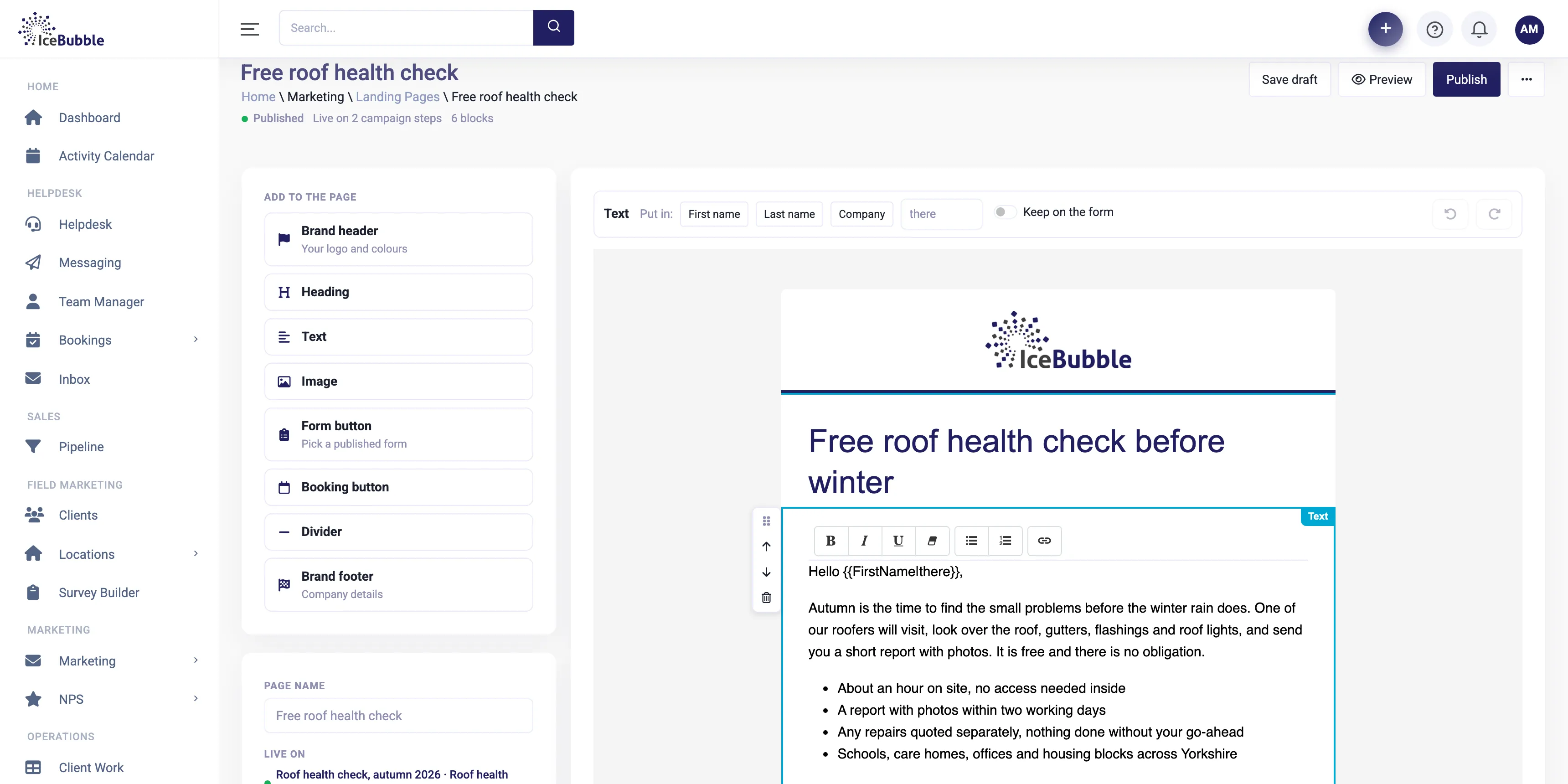
Landing pages and email are built inside the CRM, so every lead and every preference is already where it needs to be.
Add your brand header, headings, text, images, a form button, a booking button and your footer. Personalise the text with the contact's first name or company.
Why it matters: anyone in the team can put a page together in minutes.
A form button uses a form you have built in the CRM, and a booking button lets people book time with you directly. Whatever they enter arrives on their record.
Why it matters: no copying leads from one system to another.
Build emails the same way and send them to contacts in the CRM, with customer preferences built in so people who have opted out are left out.
Why it matters: your marketing knows who your customers are and what they agreed to.
Save drafts, preview, then publish. Use the same page across several steps of a campaign.
Why it matters: one page can do the work of several.
Landing pages and emails sit alongside campaigns and calling, use the same contacts as your pipeline, and can include surveys built with the AI survey builder. A lead from a page can become a deal straight away.
Plan a campaign, work the call list, log outcomes in a click and see meetings booked as they happen.
More on campaigns and calling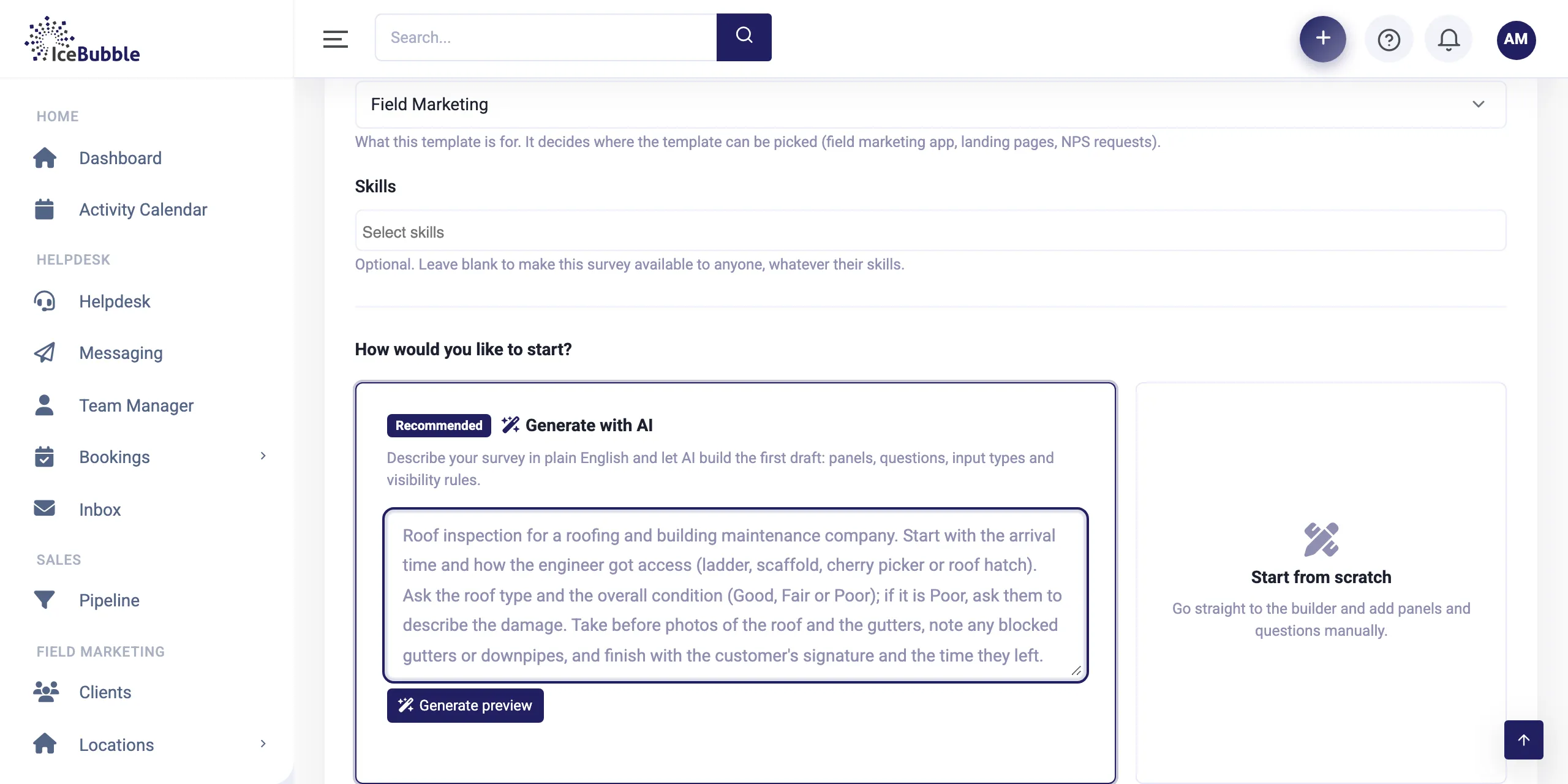
Describe the form in plain English and AI builds the first draft, with questions, photos, signatures and rules.
More on surveys and field teams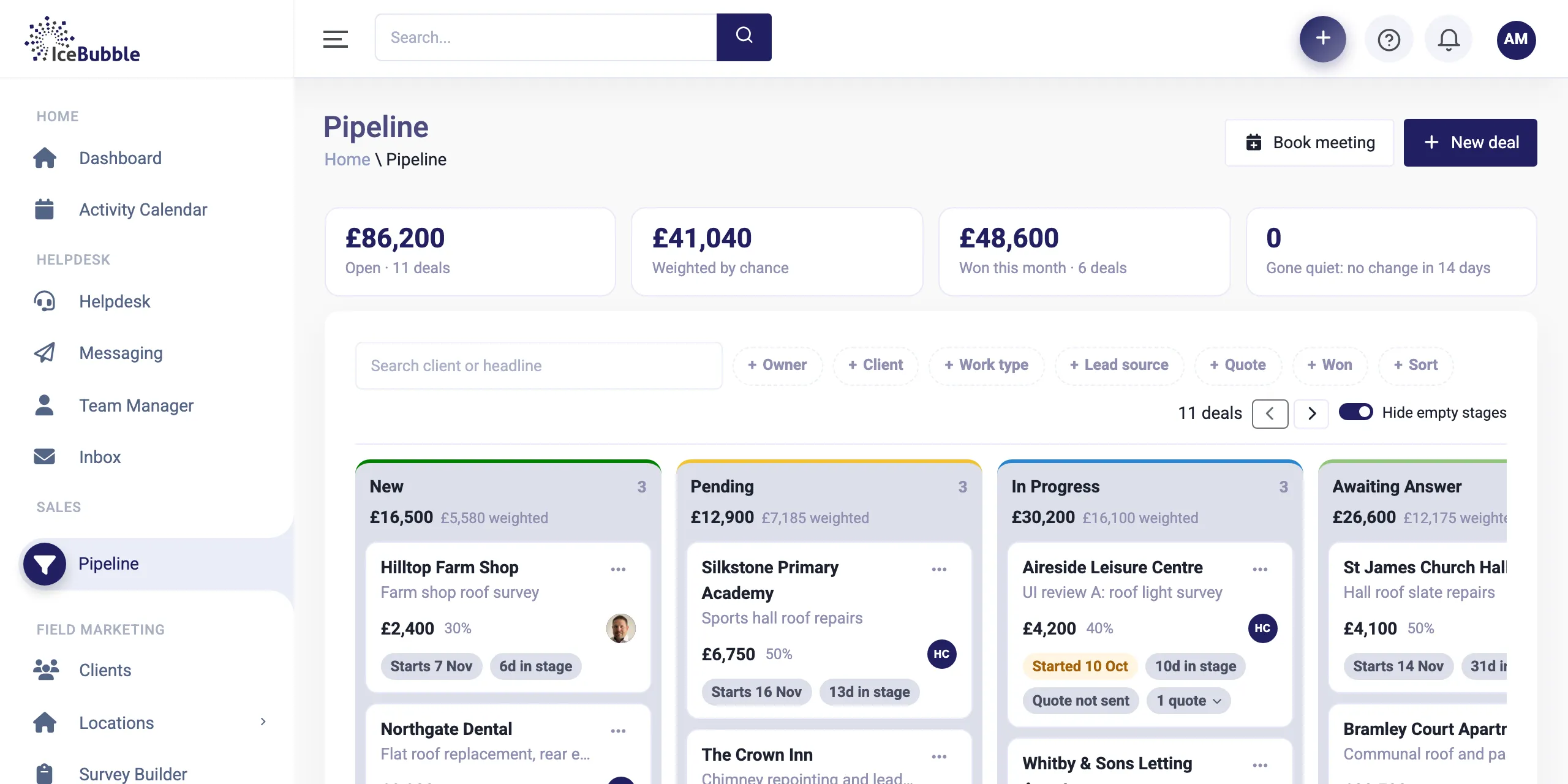
Every enquiry on one board, from first call to won. Win a deal and it becomes work, with quotes and deposits along the way.
More on sales pipelineNo. Pages and emails are built from blocks in your own brand. If you want something special, we are a software house and can build it.
Into IceBubble CRM, on the contact's record, ready to follow up or turn into a deal.
Customer preferences are built in, so people who have opted out are not sent marketing emails.
Book a demo and we'll show you IceBubble CRM with examples from your kind of business, answer your questions, and tell you honestly whether it fits.
Prefer not to book online? Call 07766 120568 or email hello@icebubble.co.uk.