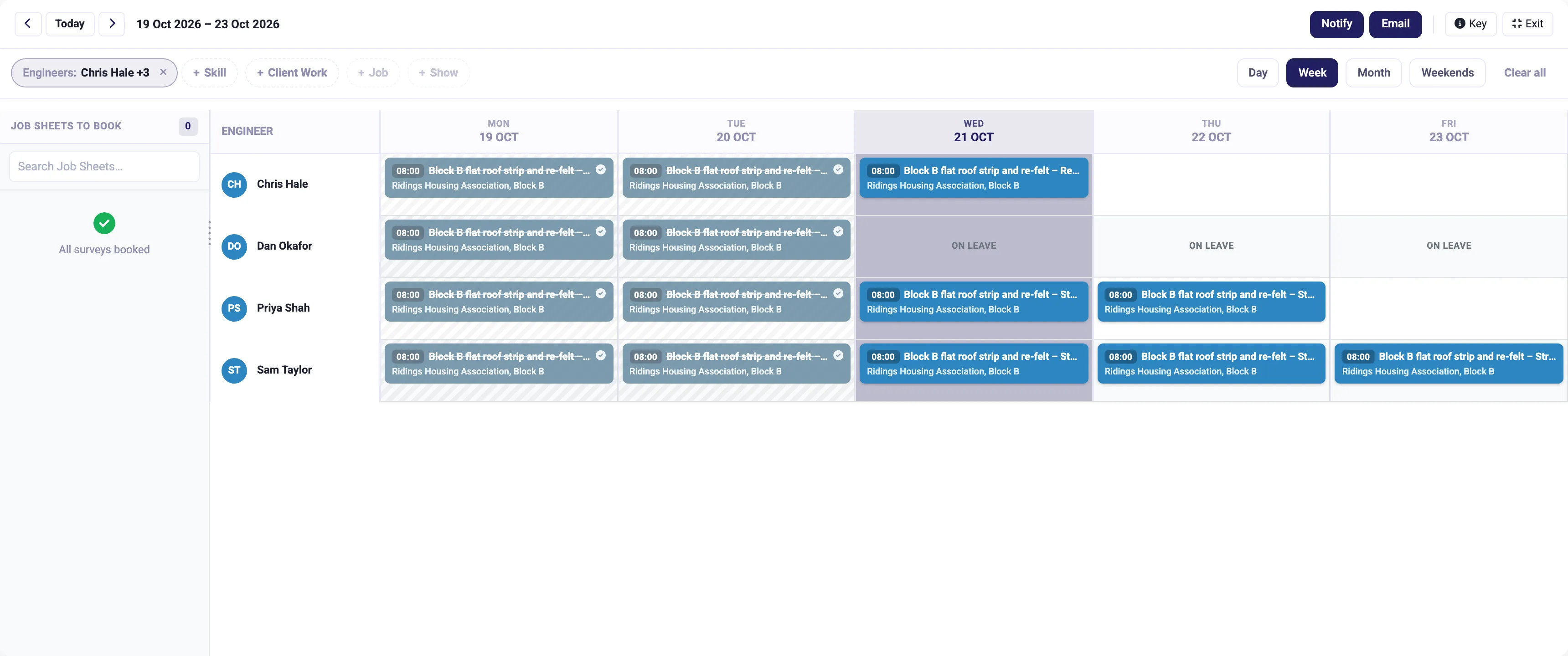
Job management
Book the right person on the planning board, run the job from the app on site, and turn the hours into the invoice.
More on job management
IceBubble CRM
Holidays and sickness booked once, approved in a click, and shown on the planning board, so nobody gets booked on a job while they are off.
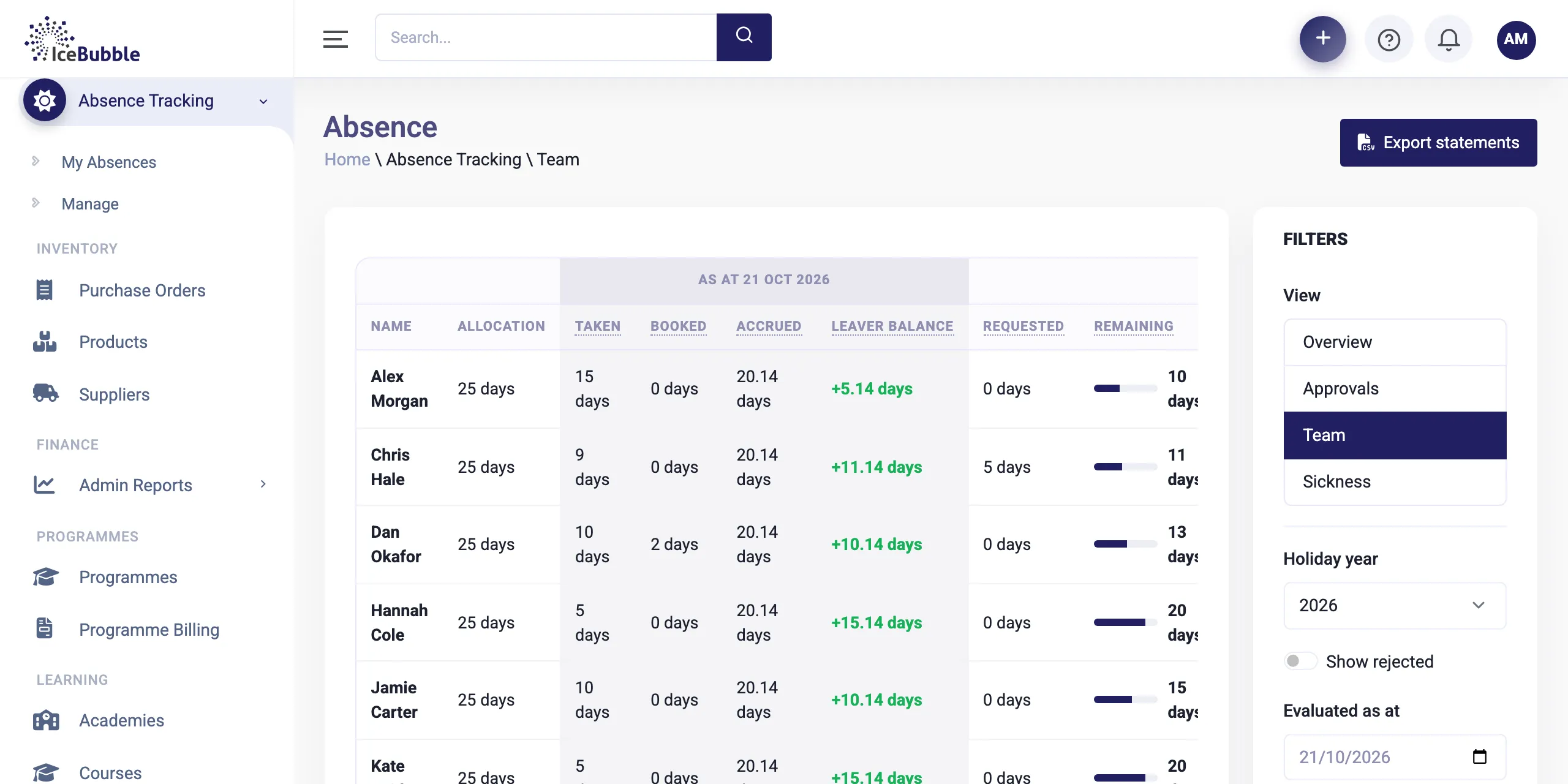
Absence lives in the same system as the work, so the planning board always knows who is in.
People request time off themselves. Managers approve or reject it in a click, from an approvals list.
Why it matters: no chasing texts or lost emails.
For each person you see their allowance, what they have taken, what is booked, what they have accrued, what is requested and what is left, as at any date you choose.
Why it matters: everyone knows where they stand, and leaver balances are calculated, not estimated.
Sickness is recorded alongside holiday, with its own view.
Why it matters: patterns are visible without a separate system.
Approved absence shows on the planning board, so people on leave cannot be booked onto a job by mistake.
Why it matters: the plan is right first time.
Absence uses the same people as job management and delivery plans, and approved leave shows on the planning board. Statements can be exported when you need them.
Book the right person on the planning board, run the job from the app on site, and turn the hours into the invoice.
More on job management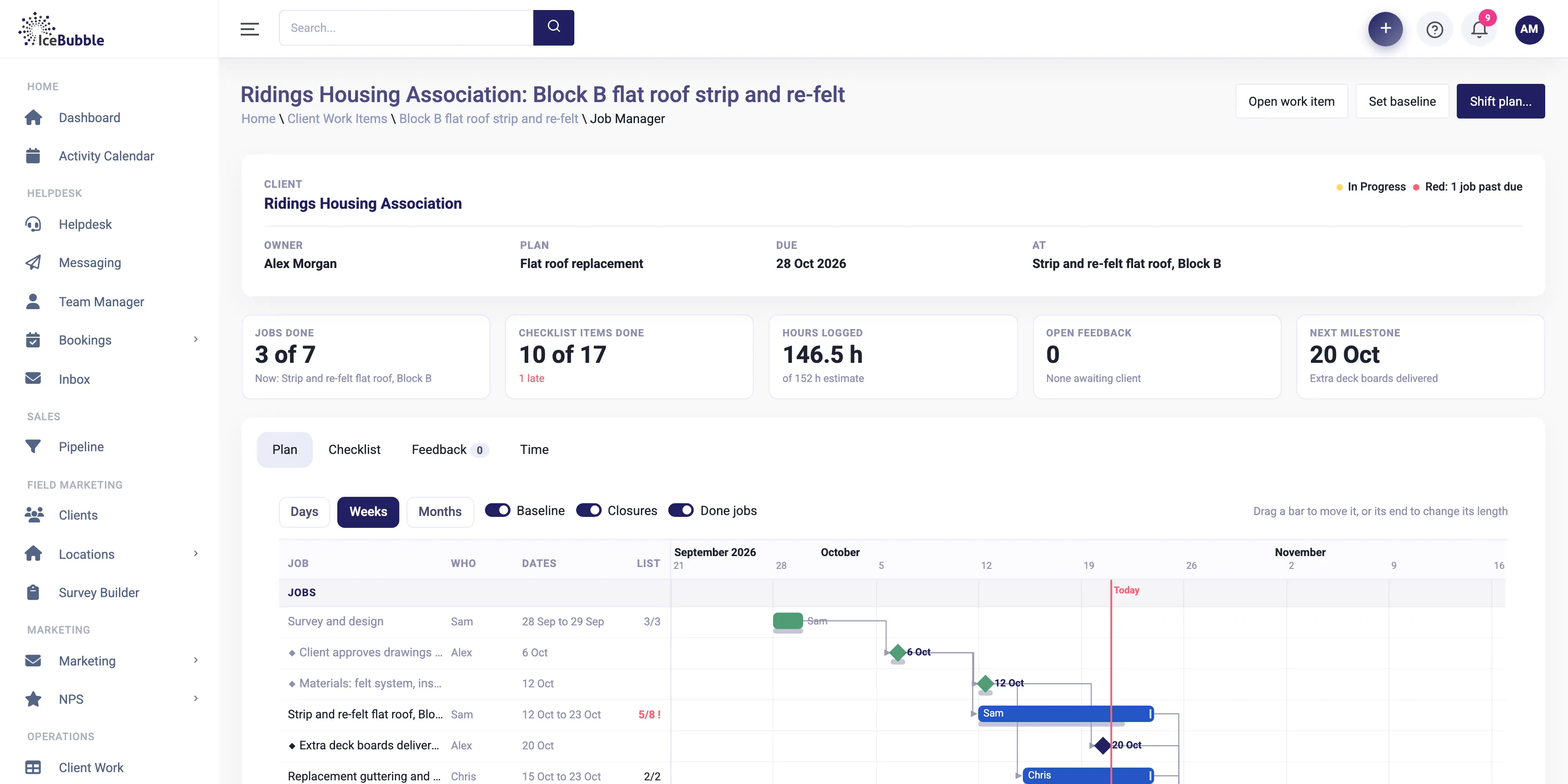
Win the deal and the plan builds itself, with every job on one Gantt and the knock-on of any change shown first.
More on delivery management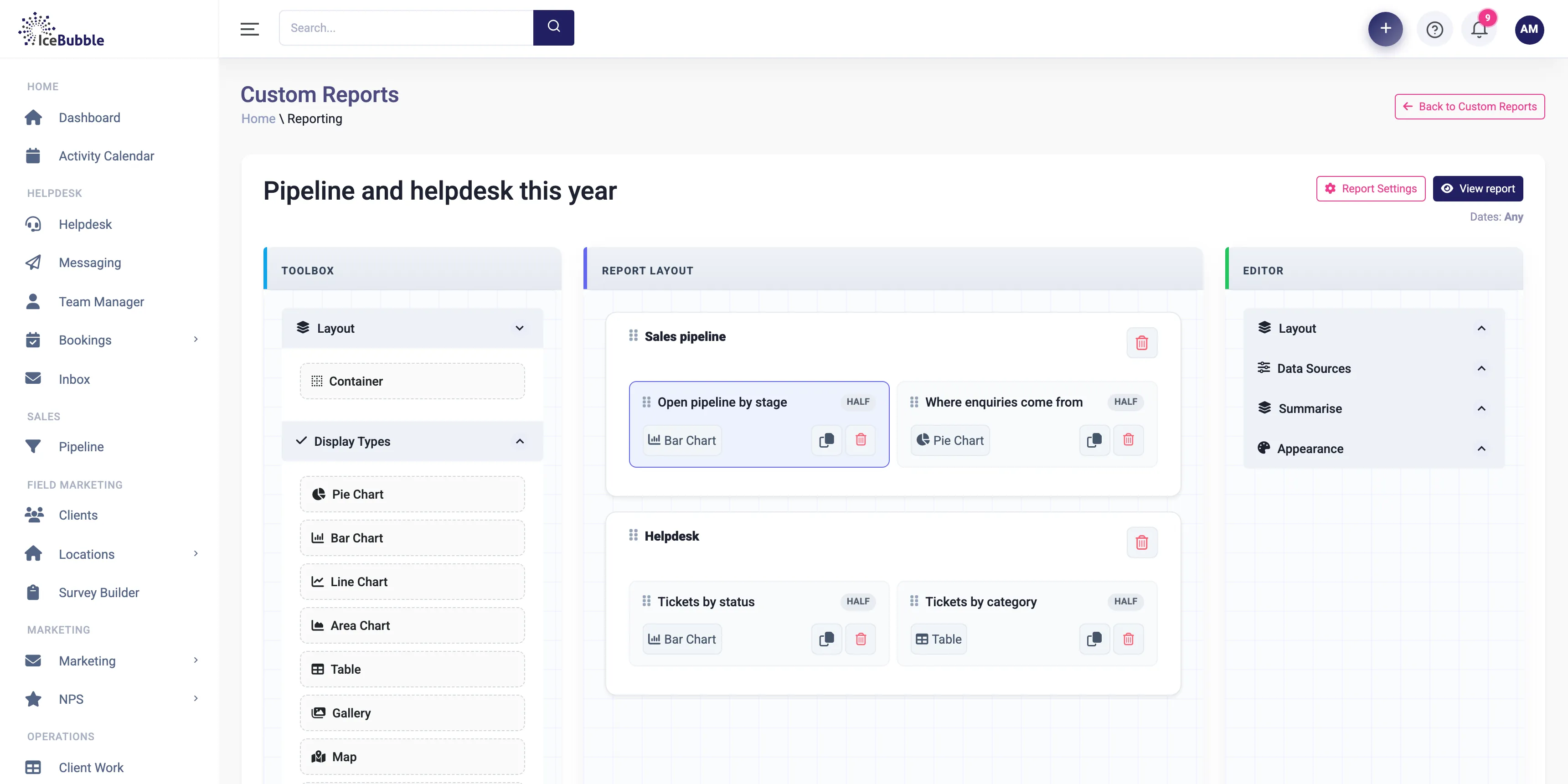
Build your own reports and dashboards, and start each day with an AI summary of sales, jobs and support.
More on reports and AI summariesYes. Each person has their own allowance for the holiday year.
Yes. Accrued days and the leaver balance are calculated for you.
Yes. Absence statements can be exported.
Book a demo and we'll show you IceBubble CRM with examples from your kind of business, answer your questions, and tell you honestly whether it fits.
Prefer not to book online? Call 07766 120568 or email hello@icebubble.co.uk.